Support our educational content for free when you purchase through links on our site. Learn more
Can You Join Walking Challenges With Friends? 🚶


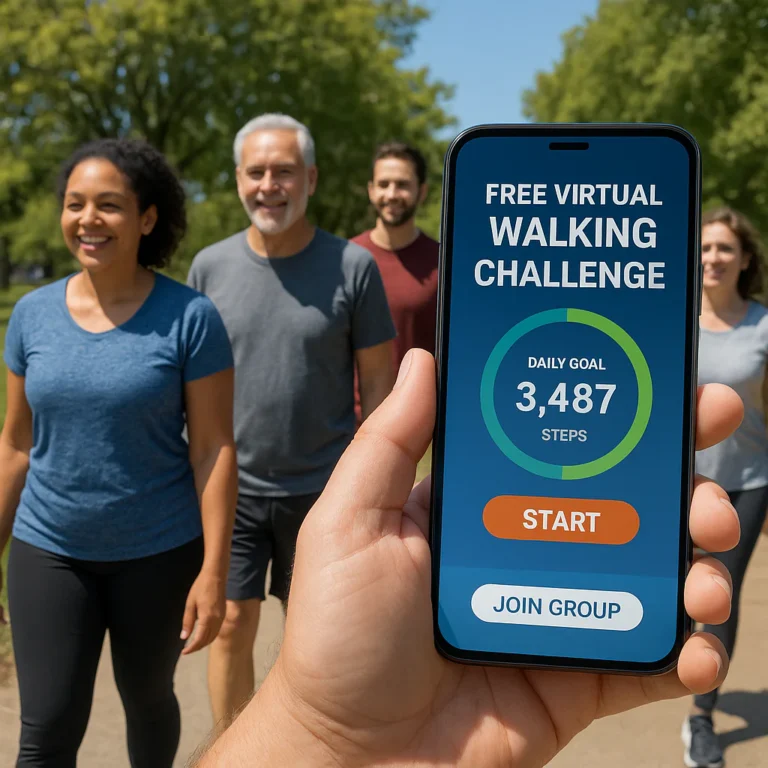
Yes—you can join online walking challenges with friends or family, even if you live far apart, use different devices, or walk at different paces. A shared step goal, virtual route, or friendly team challenge can make solo walks more social without requiring everyone to meet at the same time.
When we set up a family challenge, the funniest competition wasn’t over who logged the most steps. It was over who found the best walking route—and whether a trip around the grocery store counted as an expedition. That’s the charm: a good challenge fits real life, encourages connection, and makes moving feel more enjoyable.
Key Takeaways
- Yes, you can participate from different places using a walking app, fitness tracker, or agreed-upon step-sharing method.
- Choose a challenge that suits your group: try steps, walking minutes, active days, team goals, or a virtual route.
- Make it fair and welcoming with personal targets, flexible goals, and recognition for consistency—not just the highest step count.
- Check device compatibility and privacy settings before inviting everyone.
- Keep the fun bigger than the competition: celebrate small wins, share walk highlights, and make participation pressure-free.
Table of Contents
- ⚡️ Quick Tips and Facts
- 🚶 Can You Join Online Walking Challenges With Friends or Family?
- How virtual walking challenges work
- What makes a challenge social and fun
- 📜 Background: The Rise of Virtual Walking Challenges
- 🎯 Benefits of Walking Together, Even From Afar
- Motivation, accountability, and consistency
- Friendly competition and shared milestones
- Social connection across ages and distances
- 🧭 Choosing the Right Online Walking Challenge
- Step-count contests, distance goals, and virtual routes
- Free, paid, private, and charity challenges
- Short challenges versus long-distance adventures
- 📱 Walking Challenge Apps and Platforms Compared
- Popular apps for walking with friends and family
- Phone, smartwatch, and fitness tracker compatibility
- App features: leaderboards, teams, reminders, and chat
- Accessibility, device support, and regional availability
- 👨 👩 👧 👦 How to Set Up a Walking Challenge With Your Group
- Invite friends, family, coworkers, or neighbors
- Create a group, team, or private challenge
- Choose fair rules and a realistic goal
- Welcome new walkers and handle dropouts gracefully
- 🏁 12 Fun Online Walking Challenge Ideas
- 1. Daily step streak challenge
- 2. Team step-count challenge
- 3. Virtual distance race
- 4. Around-the-world walking challenge
- 5. Walk-and-talk check-in challenge
- 6. Family movement bingo
- 7. Photo scavenger-hunt walk
- 8. Charity miles challenge
- 9. Consistency-over-speed challenge
- 10. Weekend adventure challenge
- 11. Walk-to-a-shared-milestone challenge
- 12. Generations-together walking challenge
- 📊 Setting Goals That Feel Fair for Every Fitness Level
- Steps versus minutes or distance
- Adapting goals for beginners, older adults, and varied abilities
- Making team scoring inclusive
- 🔄 Tracking Steps and Syncing Devices
- Phone pedometers and wearable trackers
- Syncing Apple Health, Google Fit, Fitbit, and Garmin
- Fixing missing steps, delayed syncing, and inaccurate totals
- Manual entry and fair-play guidelines
- 🔒 Privacy, Safety, and Family Sharing
- Who can see your steps, profile, and location
- Data tracking, account permissions, and privacy settings
- Keeping children and family groups safe
- Walking safely outdoors, indoors, and in bad weather
- 💬 Keeping the Challenge Social Without Making It Stressful
- Check-ins, team chats, and virtual walk dates
- Celebrating progress without focusing only on winners
- Avoiding guilt, pressure, and leaderboard burnout
- 🩺 Health, Fitness, and Accessibility Considerations
- Start gradually and build walking time safely
- Rest days, mobility needs, and alternative activities
- When to check with a healthcare professional
- 🧰 Troubleshooting Common Walking Challenge Problems
- A friend cannot join or gets removed from the group
- Different devices show different step totals
- The group loses motivation halfway through
- The challenge feels too competitive or too easy
- ✅ Quick Tips for a More Enjoyable Group Walking Challenge
- 🏆 Conclusion
- 🔗 Recommended Links
- ❓ FAQ
- Can I participate in an online walking challenge with friends or family?
- Do everyone in the group need the same walking app?
- Can we join a walking challenge from different cities or countries?
- Are online walking challenges free?
- Can someone join without a smartwatch or fitness tracker?
- How can we make a walking challenge fair for different fitness levels?
- Can children and older adults take part?
- How do we keep our steps and location private?
- What should we do if step counts do not sync correctly?
- How long should a group walking challenge last?
- 📚 Reference Links
⚡️ Quick Tips and Facts
Yes—you can take part in online walking challenges with friends or family, even when everyone lives in a different place. Choose an app or platform that fits your group, agree on a welcoming goal, and let your phones or fitness trackers do the step-counting. For a quick primer on how these challenges work, see our guide to how online walking challenges keep you moving 🚶.
| Quick fact | What it means for your group |
|---|---|
| You don’t have to walk at the same time | Share progress asynchronously, or schedule occasional virtual walk dates. |
| You may not need identical devices | Many challenges accept data from phones, watches, or supported fitness platforms. Check the app’s current compatibility list first. |
| The best challenge isn’t necessarily the one with the biggest leaderboard | A shared consistency goal can feel fairer than rewarding only the person who logs the most steps. |
| Privacy settings matter | Check who can see your steps, profile, messages, and location before inviting the whole family. |
| Walking goals should suit the people taking part | The CDC recommends adults aim for at least 150 minutes of moderate-intensity physical activity per week; people can build up gradually and adapt activity to their abilities. CDC physical activity guidance |
Our trainer’s quick-start recipe: Pick a simple challenge, invite your group a week ahead, set a goal everyone can approach, and make encouragement—not step domination—the main event. 👟
🚶 Can You Join Online Walking Challenges With Friends or Family?
Absolutely. Online walking challenges let you and your people track steps or walking progress together without needing to share a sidewalk. You might compete with a sibling across town, build a team with grandparents in another country, or coax your coworkers into a little lunchtime movement. The app supplies the scoreboard; your group supplies the banter.
A social challenge can be as simple as a shared step goal or as elaborate as a virtual route mapped across continents. The trick is choosing a format that encourages people to participate rather than making anyone feel they need to train for a mountain expedition.
How virtual walking challenges work
Most challenges follow a familiar pattern:
- Choose a platform. Look for private groups, step tracking, accessible settings, and support for your group’s devices.
- Invite participants. Send a group link, invite code, or email invitation.
- Agree on the rules. Decide whether you’ll count steps, minutes walked, distance, or consistency.
- Set a start date and duration. A one- or two-week trial can be less intimidating than a year-long commitment.
- Walk wherever you are. Participants record activity using a phone, smartwatch, or another supported source.
- Check in and celebrate. Share progress, cheer each other on, and recognize effort as well as results.
Some apps update leaderboards automatically; others may need participants to open the app, sync a wearable, or connect a health platform. That small technical detail can explain why your cousin’s steps seem to have vanished into the digital Bermuda Triangle. Check the app’s support and permissions before your challenge begins.
What makes a challenge social and fun
The social element doesn’t have to mean constant competition. A group chat, friendly check-ins, team goals, photos from walks, and shared milestones can all turn solo walks into a shared activity.
Try questions that invite conversation rather than just reporting numbers:
- “What was the best thing you saw on your walk?”
- “Got a favorite route near you?”
- “What was the highlight of your day?”
- “Working on any exciting projects recently?”
These are examples of “conversation sparkers” discussed in the featured video, which emphasizes genuine curiosity and warm, natural interaction. The lesson works for walking groups, too: real encouragement beats robotic ‘nice steps’ messages every time.
If your group enjoys discovering local or online events, Meetup can help people find organize social activities. But Meetup is a general community platform, not a dedicated step tracker, so you’ll likely need a separate app or shared method to record walking progress.
📜 Background: The Rise of Virtual Walking Challenges

Virtual walking challenges bring together two familiar ideas: walking for health and social accountability. Instead of meeting every day at the same park, participants log activity from wherever they are and compare progress online.
The format can suit families spread across cities, friends with different schedules, or workplaces that want a low-barier activity. It also makes it easier to create a themed event, such as walking the distance of a famous trail together or logging movement for a charitable cause. For ideas, browse our sections on global walkathon events and walkathon fundraising ideas.
Online activity is not automatically a substitute for in-person connection. Some groups love the flexibility; others stay motivated through occasional live calls or neighborhood meetups. A useful middle ground is to track progress online and add an optional weekly walk-and-talk.
🎯 Benefits of Walking Together, Even From Afar
Walking with a group can give your routine a purpose beyond “I should probably move more.” You have a reason to check in, a milestone to celebrate, and a few people who notice when you show up.
Motivation, accountability, and consistency
A challenge gives a walk a destination, even if that destination is only “beat my own Tuesday total.” Regular activity can support health and well-being, and the CDC’s physical activity guidance outlines benefits associated with being physically active.
Our coaches often recommend tracking your own baseline before comparing yourself with anyone else. If you usually walk 4,000 steps a day, a gradual increase may be more useful than chasing a friend whose job involves pacing around a hospital all shift. Start with a manageable target, build consistency, and adjust as your routine changes.
Friendly competition and shared milestones
A leaderboard can be amusing—especially when the family group chat suddenly turns into a mock sports broadcast. But ranking is only one way to measure success.
Consider celebrating:
- Most consistent week
- Biggest personal improvement
- Best walking photo
- Most creative route
- Team milestone reached
- Everyone who met their own agreed goal
StepUp’s guidance for group challenges cautions against prizes that reward only the highest step count, since that can discourage people with different schedules or abilities. A random draw among everyone who meets a shared target is one alternative. See StepUp’s group challenge guidance for its approach to private groups, leaderboards, and challenge settings.
Social connection across ages and distances
A virtual challenge can help relatives share a routine without requiring a shared calendar or matching pace. Teenagers, parents, grandparents, and far-flung cousins can each walk in a way that suits them, then meet in the chat to trade updates.
The best group goal makes room for different bodies, routines, and starting points. If your group includes people with mobility needs, explore our resources on accessibility in walkathons and consider goals based on minutes, personal improvement, or participation rather than raw step totals.
🧭 Choosing the Right Online Walking Challenge
Before you pick an app, decide what your group actually wants. Is the goal to get outside more often, stay connected, compete playfully, or raise money for a cause? One platform may be excellent for a step leaderboard but not especially useful for group conversation or fundraising.
| Challenge format | Works well for | Watch out for |
|---|---|---|
| Daily step-count contest | Groups that enjoy quick comparisons | Different jobs, bodies, and devices can make totals uneven |
| Team step goal | Families or friends who prefer cooperation | Agree on how team totals will be calculated |
| Minutes-walked goal | Groups with different walking speeds | Activity tracking may vary by app and device |
| Virtual route | People motivated by a shared destination | Decide whether you’ll track steps, distance, or an agreed conversion |
| Consistency challenge | Beginners and busy groups | Set a flexible definition of “showing up” |
| Charity walk | Groups motivated by a cause | Confirm how donations or fundraising are handled |
Step-count contests, distance goals, and virtual routes
Steps are easy to understand, but they’re not a perfect measure of effort or health. A person taking shorter, slower walks may still be making meaningful progress. A distance challenge can make a shared route feel vivid, while a minutes-based goal can shift attention toward time spent moving instead of speed.
For a virtual route, choose a destination the group recognizes—a national park, a historic trail, or a cross-country journey. Track collective distance on a shared spreadsheet or use an app’s challenge tools. Keep the conversion method consistent if some members track steps and others track distance.
Free, paid, private, and charity challenges
Some apps offer free private groups; others charge for event-hosting or advanced features. Check the current terms before you commit, as app functions and subscription details can change. If you want a public community, an event platform such as Meetup may help you find participants, but it does not replace a walking tracker.
For charity-focused events, make clear whether participants are fundraising, donating, or simply walking in support of a cause. Our fundraising ideas can help you plan a transparent, low-pressure activity.
Short challenges versus long-distance adventures
A short challenge is easy to explain and gives newcomers a quick win. A longer challenge can build a lasting habit, but it needs periodic milestones so the finish line doesn’t feel as distant as the moon.
- Try one week to test the app and rules.
- Choose two to four weeks for a focused group challenge.
- Use a longer event when you have a clear theme, regular check-ins, and flexible participation.
For larger public events, see our global walkathon events resources and event promotion guidance.
📱 Walking Challenge Apps and Platforms Compared
There isn’t one perfect app for every group. Some prioritize step tracking and leaderboards; others are better for organizing events and conversations. These examples illustrate different approaches, but check current app-store listings, supported devices, and privacy policies before signing up.
| Platform | What it can do for a group | Potential drawbacks |
|---|---|---|
| StepUp | Private groups, step leaderboards, group chat, custom challenges, and supported health-data syncing | Features and device connections may differ by operating system; confirm compatibility |
| Meetup | Find organize online and in-person groups and events | Not a dedicated walking challenge or step-tracking app |
| Apple Fitness and Apple Health | Track activity on Apple devices and share some activity information | Apple-centered sharing may not suit a mixed-device group |
| Fitbit | Track activity and participate in supported social or challenge features | Check current feature availability and device compatibility |
| Garmin Connect | Track activity and connect with people through supported Garmin features | Best fit may depend on participants’ devices and account settings |
Popular apps for walking with friends and family
StepUp is purpose-built for social walking challenges. Its website describes private groups, shared leaderboards, invitations, group chat, and custom challenge periods. The developer says groups can scale from small friend circles to large communities; verify current limits and feature details on the official StepUp site.
The StepUp App Store listing includes user reviews describing family competition as motivating and useful for setting up separate challenges for different groups. Reviews are personal experiences, not guarantees: some users also report delays in step updates or device-sync limitations. If your data looks stale, try opening the app and checking its health-data permissions before assuming your walk has been erased by tiny digital gremlins.
Meetup serves a different purpose. Its listing describes online and local events, groups, messaging, and community tools, but not built-in walking step challenges. Use it to find people or host a social event, then track the actual walking through a separate app or shared system.
Phone, smartwatch, and fitness tracker compatibility
A smartphone’s pedometer may be enough for a casual challenge. A smartwatch can be convenient if participants already own one, but nobody should need to buy a wearable just to join a friendly walk.
Before the start date, confirm:
- Whether Android and iPhone users can join the same group
- Whether data comes from the phone, watch, or a health platform
- Whether the app supports Apple Health, Health Connect, Fitbit, Garmin, or other devices your group uses
- Whether participants need to open the app for data to sync
- Whether only one tracker or data source can be connected at a time
App features: leaderboards, teams, reminders, and chat
Useful features depend on how your group likes to interact:
- Leaderboards: Daily, weekly, or monthly comparisons
- Teams: Shared goals that reward cooperation
- Group chat: Encouragement, updates, and friendly jokes
- Custom dates: Challenges that match your group’s schedule
- Privacy controls: Options to limit who sees activity
- Hidden totals or “mystery” modes: Rankings without exposing every participant’s exact daily count
Ask the quietest person in your group what they’d enjoy, too. A challenge designed only for the loudest leaderboard fan can leave everyone else spectating.
Accessibility, device support, and regional availability
Accessibility includes more than screen-reader support. Consider whether participants can set personal goals, walk indoors, use mobility aids, or take part through time-based movement rather than step counts. Review an app’s accessibility information, operating-system requirements, and regional availability before inviting your group.
Our accessibility in walkathons resources can help you plan a challenge that welcomes different abilities. For health information and safe activity recommendations, refer to the CDC’s adult physical activity guidance.
👨 👩 👧 👦 How to Set Up a Walking Challenge With Your Group
Here’s a practical setup that keeps the administrative burden smaller than the walking itself.
Invite friends, family, coworkers, or neighbors
- Choose your group. Decide whether this is a private family challenge, a work activity, or an open community event.
- Send invitations early. Give people time to install the app, create accounts, and test device syncing.
- Explain the goal in plain language. “Walk whenever you can and aim for four active days this week” is clearer than “Let’s get moving!”
- Offer a no-wearable option. A phone or an agreed manual check-in can help include more people.
- Make joining optional. Friendly invitations work better than compulsory fitness surveillance.
StepUp recommends inviting participants ahead of time so they can install the app and get set up; check its current group guidance for up-to-date instructions.
Create a group, team, or private challenge
On a group-based app, the general process is:
- Create an account and review its privacy settings.
- Start a private group or challenge.
- Choose a name, start date, end date, and tracking method.
- Set group permissions for chat, invitations, and membership.
- Share the invite link through a channel your participants already use.
- Ask everyone to complete a short test walk and confirm that data appears.
If you organize through Meetup, use it to coordinate the social event, then tell participants exactly how walking progress will be recorded elsewhere.
Choose fair rules and a realistic goal
Start with a baseline week if you can. Then select a goal that invites progress without demanding identical activity from everyone.
Fairer options include:
- Set a personal improvement target rather than one universal step total.
- Use a team total so people contribute in ways that fit their lives.
- Count walking minutes or active days instead of raw steps.
- Allow rest days and make them part of the rules, not an apology.
- Recognize effort, consistency, and participation—not only first place.
Adults are generally advised to work toward at least 150 minutes of moderate-intensity activity per week, but the CDC stresses that activity can be accumulated and adapted. Your challenge does not need to turn a public-health guideline into a family competition.
Welcome new walkers and handle dropouts gracefully
Life happens. A new job, illness, travel, or an uncoperative phone battery can interrupt anyone’s streak. Let members pause, rejoin, or switch to a more suitable goal without turning the group chat into a courtroom.
If someone goes quiet, try a kind check-in: “Want to stay in the challenge, change your goal, or sit this one out?” A welcoming group makes it easier to return after a missed week.
🏁 12 Fun Online Walking Challenge Ideas
Pick one idea, give it a simple rule, and add a shared chat or check-in. You can keep score in an app, a spreadsheet, or a group message.
1. Daily step streak challenge
Choose a realistic personal target and aim to meet it on a set number of days. Build in rest days or flexible alternatives so one busy day doesn’t end the fun.
2. Team step-count challenge
Split into mixed-ability teams and add everyone’s progress together. Team scoring can make the challenge feel less like a race between the person with a dog and the person with a desk job.
3. Virtual distance race
Choose a route or destination and let the group collectively cover the distance. Track walking distance directly, or use one agreed conversion method if participants use different devices.
4. Around-the-world walking challenge
Pick landmarks across a map and move the group’s marker as your collective distance grows. Add a photo or a short fact about each stop to keep the route lively.
5. Walk-and-talk check-in challenge
Pair people for an optional call during a walk, or post a weekly prompt in the chat. Keep calls hands-free and avoid using a phone while crossing streets or navigating traffic.
6. Family movement bingo
Create squares such as “walked somewhere new,” “took a movement break,” or “invited someone along.” Let participants use different activities where appropriate.
7. Photo scavenger-hunt walk
Choose safe, location-neutral prompts like “something green” or “a surprising pattern.” Avoid asking people to share home addresses, live location, or identifying details.
8. Charity miles challenge
Walk in support of a cause and, if fundraising, explain where donations go and how they’ll be handled. Browse our walkathon fundraising ideas for event inspiration.
9. Consistency-over-speed challenge
Award recognition for meeting a personal plan—perhaps walking on several days each week—rather than for having the highest total.
10. Weekend adventure challenge
Invite everyone to explore a new park, indoor walking route, or neighborhood path during the weekend. Sharing a favorite discovery can be more memorable than comparing totals.
11. Walk-to-a-shared-milestone challenge
Choose a collective target, then celebrate when the group reaches it. The milestone might be a cumulative number of minutes, active days, or miles.
12. Generations-together walking challenge
Invite relatives of different ages to choose their own comfortable goals and share weekly highlights. Make the celebration about participation, not matching speed or step totals.
📊 Setting Goals That Feel Fair for Every Fitness Level
A fair challenge gives everyone a meaningful way to participate. It does not require everyone to move identically.
Steps versus minutes or distance
| Measure | Strength | Limitation |
|---|---|---|
| Steps | Easy to understand and commonly tracked | Step length, device placement, and daily routines affect totals |
| Minutes | Focuses on time spent moving | Apps may classify intensity differently |
| Distance | Useful for routes and virtual journeys | GPS and step-to-distance estimates may vary |
| Active days | Rewards consistency | Needs a clear definition of a qualifying day |
| Personal improvement | Centers individual progress | Requires an agreed baseline and privacy-conscious sharing |
For a mixed-ability group, a personal target plus a shared team milestone is often a sensible compromise. Everyone can contribute without pretending that identical step counts represent identical effort.
Adapting goals for beginners, older adults, and varied abilities
- Let beginners start from their usual activity level and increase gradually.
- Offer goals based on time, participation, or personal progress.
- Make indoor walking or chair-based movement alternatives acceptable where suitable.
- Avoid public rankings if participants would rather share progress privately.
- Ask members what adaptations they need instead of guessing.
The CDC’s guidance for older adults recommends a combination of aerobic, muscle-strengthening, and balance activities, tailored to individual ability. A walking challenge can support movement, but it need not be the group’s only activity.
Making team scoring inclusive
Try a team score based on the percentage of members who meet their own goal, or a collective number of active days. This rewards participation without making the person who walks most decide whether everyone else “counts.”
You can also create categories that recognize different wins: consistency, personal improvement, creativity, or kindness in the group chat. Yes, the person who remembers to encourage everyone deserves a trophy—or at least a very enthusiastic emoji. 🏆
🔄 Tracking Steps and Syncing Devices
Accurate tracking starts with knowing where your app gets its data. A phone may count steps directly, while a smartwatch may send activity through Apple Health, Android’s Health Connect, Fitbit, Garmin, or another service.
Phone pedometers and wearable trackers
| Tracking method | Advantages | Check before starting |
|---|---|---|
| Smartphone | Convenient if participants carry it | Placement and carrying habits can affect readings |
| Smartwatch | Useful for people who already wear one | Confirm app and operating-system compatibility |
| Fitness band | Can record activity throughout the day | Check which health platform or app receives its data |
| Manual check-in | Inclusive fallback for some challenges | Agree on an honor system and simple reporting method |
Syncing Apple Health, Google Fit, Fitbit, and Garmin
App integrations change, so confirm the current support list rather than relying on a friend’s old setup. StepUp says it supports syncing from Apple Health and Android Health Connect and lists connections for services such as Fitbit, Garmin, and Samsung Health on its official site. Check device-specific details and permissions in the StepUp App Store listing or the relevant app’s support pages.
A practical setup sequence:
- Install the challenge app.
- Open its activity or health-data permissions.
- Select the intended data source.
- Confirm the phone or wearable is recording steps.
- Take a short test walk.
- Reopen the challenge app and check that the total appears.
- Ask participants to report any syncing issue before the official start.
Fixing missing steps, delayed syncing, and inaccurate totals
Try these checks before restarting the challenge:
- Confirm the app has permission to read step data.
- Check that the right watch or phone is connected.
- Open the tracker and challenge app to prompt a sync.
- Make sure battery-saving settings are not restricting background activity.
- Verify the correct account and date range.
- Contact the app’s support team if totals remain missing.
Different apps may refresh at different times, and a device may show a total before the challenge platform receives it. Set a reasonable grace period for syncing so a technical delay doesn’t look like a rules violation.
Manual entry and fair-play guidelines
If your group allows manual entries, define what counts, how often people report, and whether a screenshot is needed. For a casual family challenge, trust may be enough; for a formal workplace or charity event, clearer reporting can prevent confusion.
Avoid collecting more personal health information than necessary. A group leader rarely needs to know someone’s exact route, heart rate, or medical history to celebrate a walk.
🔒 Privacy, Safety, and Family Sharing
A shared leaderboard can be motivating, but health and activity data deserve thoughtful handling. Before joining, read the app’s privacy information and decide what you’re comfortable sharing.
Who can see your steps, profile, and location
Check whether your challenge is private, who can join, and whether members can see individual totals or only team progress. StepUp says steps are private by default until users add friends or join groups; verify the latest settings in its privacy information and app listing.
The StepUp App Store privacy label states that identifiers may be used to track users across other companies’ apps and websites, and that some health and fitness data, contact information, and identifiers may be linked to a user. App privacy labels are developer-provided disclosures; review the current label and the app’s own privacy policy before deciding.
Data tracking, account permissions, and privacy settings
Before you connect an app:
- Check whether it requests contacts, location, health data, or advertising permissions.
- Share an invite link only with people you intend to include.
- Turn off location sharing if the challenge does not need it.
- Review block, mute, and group-removal controls.
- Avoid posting route details that reveal where someone lives or works.
- Revisit permissions when the challenge ends.
Keeping children and family groups safe
For children, use age-appropriate services and an adult-managed group. Avoid public leaderboards or sharing a child’s live location, daily routine, school, or identifiable walking route. App age ratings and family-account options vary, so check them before inviting a child.
Walking safely outdoors, indoors, and in bad weather
Choose routes that suit the walker, weather, and local conditions. Use safe crossings, stay alert to traffic, and keep phone interactions brief while moving. Indoor corridors, shopping centers where permitted, and home-based walking can be alternatives when outdoor conditions are poor.
The CDC’s activity guidance supports regular movement, but personal safety comes first. No leaderboard is worth a slippery path or a distracted road crossing.
💬 Keeping the Challenge Social Without Making It Stressful
A challenge should bring people together, not turn every quiet day into an interrogation. Agree on how often you’ll check in and make encouragement easy to give.
Check-ins, team chats, and virtual walk dates
Pick a light rhythm: a weekly highlight, a midweek reminder, or an optional group walk on video or by phone. Conversation prompts help people connect beyond the scoreboard. The featured video highlights genuine curiosity and natural conversation as ways to make interactions more engaging. Try asking what someone enjoyed on a walk instead of opening with “How many steps?”
Celebrating progress without focusing only on winners
Recognize personal bests, showing up after a busy week, trying a new route, or supporting another participant. If your group wants prizes, consider a random draw among people who meet a shared participation goal rather than rewarding only the highest total.
For events that include public outreach, our event promotion resources can help you communicate the purpose and participation rules clearly.
Avoiding guilt, pressure, and leaderboard burnout
- Make participation voluntary.
- Keep a rest-day option.
- Let people hide totals or opt out of rankings where possible.
- Avoid teasing anyone for low counts, missed days, or health limitations.
- Let members change their goal if the original one stops fitting.
- End with a celebration, not a demand to start a tougher challenge tomorrow.
🩺 Health, Fitness, and Accessibility Considerations
Walking is a practical way to add movement for many people, but the right pace and amount depend on health, fitness, mobility, and individual circumstances. A virtual challenge is a social tool—not a diagnosis or treatment plan.
Start gradually and build walking time safely
If you’re new to regular activity, begin with a manageable amount and increase gradually. The CDC adult guidelines recommend at least 150 minutes of moderate-intensity activity per week for adults, plus muscle-strengthening activities on two days. That’s a general guideline, not a requirement to jump from the sofa to a heroic 10,000-step streak by Monday.
Rest days, mobility needs, and alternative activities
Rest and adaptation are part of a sustainable plan. Participants can use shorter walks, indoor routes, movement breaks, or another suitable activity if walking is not comfortable or accessible for them. For guidance on making events welcoming, visit our accessibility in walkathons resources.
When to check with a healthcare professional
If you have a health condition, have been inactive for a long time, or are unsure what activity is suitable, ask a healthcare professional for individualized advice. Stop and seek appropriate care if activity causes concerning symptoms. A group challenge should support well-being, not pressure anyone to ignore pain or medical guidance.
🧰 Troubleshooting Common Walking Challenge Problems
A friend cannot join or gets removed from the group
Check the invite link, app version, account settings, group capacity, and operating-system requirements. If the app is unavailable on someone’s device or in their region, offer an alternative tracker and a consistent reporting method.
For a social event organized through Meetup, make sure participants understand that they’ll need a separate system to count steps.
Different devices show different step totals
Different devices and apps may count or sync activity differently. Agree one source of truth for the challenge—such as the app’s recorded total—and avoid comparing numbers pulled from different dashboards.
If the discrepancy persists, check permissions, device connections, and sync timing. StepUp’s App Store listing includes user feedback about occasional delayed updates, reminding us that even a good tracker may need a nudge.
The group loses motivation halfway through
Break a long challenge into weekly milestones. Add a new route prompt, a photo scavenger hunt, or a team objective. Ask participants what would make the remaining days more enjoyable—and give people permission to scale back.
If the challenge is connected to fundraising, share progress toward the cause without making individual activity a public performance. Our fundraising ideas offer ways to keep the purpose visible.
The challenge feels too competitive or too easy
If it feels too competitive, switch to team goals, personal targets, or hidden totals. If it feels too easy, add a shared milestone or a new weekly theme rather than simply raising everyone’s target. Change the format before you assume the group needs to try harder.
✅ Quick Tips for a More Enjoyable Group Walking Challenge
- ✅ Invite people early and test syncing before day one.
- ✅ Pick a goal that rewards consistency, teamwork, or personal progress.
- ✅ Offer a way to participate without a smartwatch.
- ✅ Keep group membership private when appropriate.
- ✅ Make rest days and flexible goals part of the rules.
- ✅ Celebrate small wins, not just the leaderboard champion.
- ❌ Don’t share live location or personal health details unless there’s a clear need and everyone agrees.
- ❌ Don’t shame someone for a lower step count or a missed day.
- ❌ Don’t assume every platform supports the same devices or features.
- ❌ Don’t let a challenge override safety, accessibility, or professional health advice.