Support our educational content for free when you purchase through links on our site. Learn more
💰 15 Ways to Raise More Money in a Virtual Walkathon

How can I raise more money during a virtual walkathon? Make giving easy, give participants personal fundraising pages, tell a clear and truthful story about the cause, and keep supporters engaged with timely updates, matching gifts, and team challenges.
Virtual walkathons can connect people who live far apart, but distance alone doesn’t raise donations. We’ve seen campaigns gain momentum when participants have a simple message to share and feel supported—not handed a link and wished good luck.
The good news: you don’t need a complicated event plan to make a stronger appeal. A realistic goal, accessible ways to participate, and genuine thank-yous can help turn a one-time walk into a community people want to support again.
Key Takeaways
- Make the ask clear and specific: Explain the cause, the fundraising goal, and how people can donate.
- Use peer-to-peer fundraising: Personal and team pages help participants reach their own networks.
- Build momentum with matching gifts, sponsors, and friendly challenges.
- Keep the donation process simple: Test registration and giving on a phone before launch.
- Welcome different ways to participate: Offer flexible, accessible activity options and celebrate effort—not just dollars raised.
- Follow through after the event: Thank supporters, share verified results, and explain what happens next.
Table of Contents
- ⚡ Quick Tips and Facts for Raising More Money During a Virtual Walkathon
- 👟 Virtual Walkathon Fundraising: Background and How It Works
- What Makes a Virtual Walkathon Different from an In-Person Fundraiser?
- Who Can Host a Virtual Walkathon?
- 🎯 Set a Fundraising Goal You Can Actually Reach
- Estimate Expenses, Revenue, and Your Net Proceeds
- Choose a Cause, Audience, and Walkathon Format
- 💡 15 Proven Ways to Raise More Money During a Virtual Walkathon
- 1. Make a Compelling, Specific Fundraising Appeal
- 2. Use Peer-to-Peer Fundraising Teams
- 3. Ask Walkers to Set Personal Fundraising Goals
- 4. Secure Matching Gifts and Challenge Grants
- 5. Recruit Corporate Sponsors
- 6. Offer Suggested Donation Amounts
- 7. Add a Registration Donation Option
- 8. Create Friendly Team and Individual Challenges
- 9. Share Walker Stories and Progress Updates
- 10. Use Social Media Fundraising Challenges
- 11. Host a Virtual Kickoff and Live Fundraising Moments
- 12. Sell Walkathon Merchandise and Digital Extras
- 13. Offer Donation-Boosting Add-Ons
- 14. Run a Final-Day Fundraising Push
- 15. Thank Donors Quickly and Invite Them to Give Again
- 📣 Write Donation Appeals That Inspire People to Give
- Explain What Each Donation Amount Can Do
- Use Email, Text Messages, and Social Media Effectively
- Sample Virtual Walkathon Fundraising Message Ideas
- 🤝 Find Sponsors and Unlock Matching Gifts
- Build Walkathon Sponsorship Packages
- Approach Local Businesses and Corporate Giving Programs
- Make Sponsor Benefits Visible Online
- 📱 Choose Fundraising Software and Make Giving Easy
- Features to Look for in a Virtual Walkathon Platform
- Set Up Donation Pages, Team Pages, and Registration
- Reduce Donation Friction and Build Donor Trust
- 🗓️ Plan a Virtual Walkathon That Keeps Fundraising on Track
- Build a Realistic Planning Timeline
- Recruit Volunteers and Assign Fundraising Roles
- Choose a Fun Theme and Accessible Walking Challenge
- Promote Registration and Participation
- Keep Walkers Engaged Before, During, and After Event Day
- 📊 Track Fundraising Progress and Improve Results
- Measure Donations, Registration, and Team Performance
- Use Fundraising Milestones and Leaderboards Responsibly
- Protect Donor Data and Follow Fundraising Rules
- 🚫 Common Virtual Walkathon Fundraising Mistakes to Avoid
- ✅ What to Do After Your Virtual Walkathon
- Thank Walkers, Donors, Sponsors, and Volunteers
- Share Results and Explain the Impact
- Review What Worked and Plan Your Next Fundraiser
- Conclusion
- Recommended Links
- FAQ
- Reference Links
⚡ Quick Tips and Facts for Raising More Money During a Virtual Walkathon
The fastest route to raising more money is rarely “ask everyone for more.” It’s to make the cause clear, make giving easy, and help participants feel confident asking their own communities. That’s the heart of a virtual walkathon—a flexible way to bring people together across neighborhoods, time zones, and fitness levels.
As the personal trainers and health professionals at Walkathon Virtual™, we recommend designing the event around participation first, fundraising second, and safety throughout. A walkathon should welcome people who stroll, use mobility aids, walk with a caregiver, or complete an adapted movement challenge. See our accessibility guidance for walkathons.
| Fundraising lever | Why it can help | Quick action |
|---|---|---|
| Peer-to-peer pages | Participants reach friends and family beyond the organizer’s usual audience | Give every walker a simple, shareable page |
| Matching gifts | A match gives donors a clear reason to act now | Ask a major donor or employer to match gifts up to a set limit |
| Specific impact examples | Donors can picture what their contribution supports | Explain what different gift amounts make possible, using verified figures |
| Fundraising teams | Friendly teamwork can make asking less intimidating | Set team goals and celebrate milestones, not only top totals |
| Mobile-friendly giving | A slow or confusing checkout can interrupt a donor’s intention to give | Test registration and donation forms on a phone |
| Prompt recognition | Gratitude can strengthen relationships and encourage future participation | Send a personal thank-you soon after a gift arrives |
Quick facts and practical guardrails
- Ask for a specific action: “Would you donate to my walk?” is easier to answer than a vague campaign announcement.
- Make the first step small: Encourage participants to make an initial gift if they’re comfortable, then share their personal page.
- Offer both flat gifts and per-mile pledges. Pledge-based giving can work well, but explain how distance will be recorded and when pledges will be collected.
- Do not promise a donation impact you cannot substantiate. Use current, approved impact statements and clarify whether funds support a specific program or the organization’s general work.
- Keep activity optional and adaptable. The CDC’s guidance on physical activity can help inform general movement messaging, but participants should follow their own health needs and clinician’s advice.
- Thank-you notes are not a decorative extra. The first video’s perspective on thank-yous and recognition is right: people want to know their effort and generosity were noticed. Recognition should be sincere, timely, and respectful of privacy.
For more ways to improve your campaign, explore our fundraising ideas and event promotion resources.
👟 Virtual Walkathon Fundraising: Background and How It Works
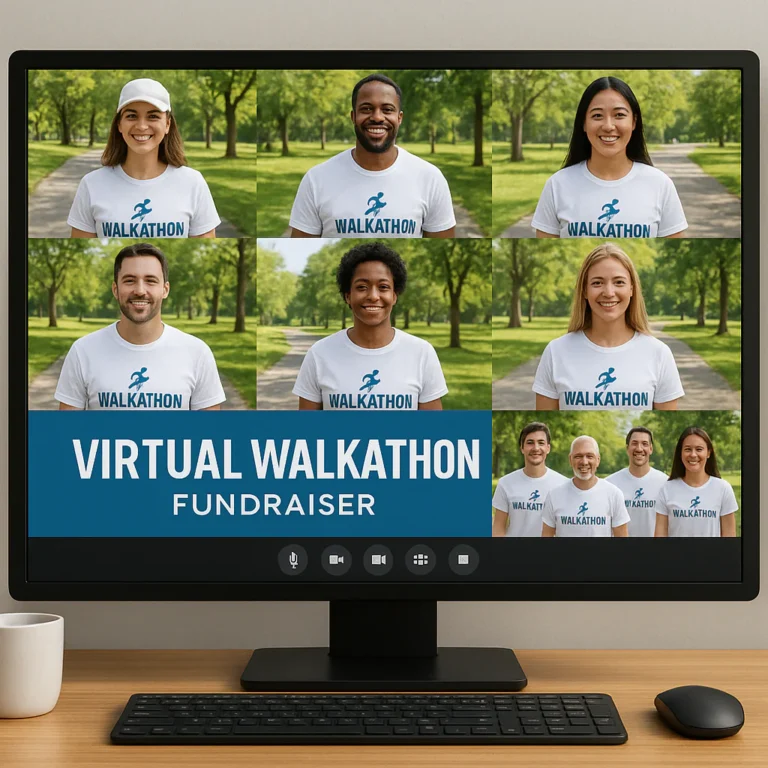
A virtual walkathon is a walking or movement challenge completed at participants’ chosen locations, usually within a shared event period. Participants may record distance, steps, laps, or another accessible activity and raise funds from their personal networks. The fundraising model is often peer-to-peer fundraising: the organization supplies the campaign, tools, and message; participants help extend its reach.
The format removes the requirement to gather everyone in one place. That can make it easier for supporters who live far away, have limited transportation, or prefer to participate on their own schedule. It also means the organizer needs to create connection deliberately. A shared hashtag, group updates, team goals, and visible progress can help a distributed event feel like one community rather than a collection of solo strolls.
What Makes a Virtual Walkathon Different from an In-Person Fundraiser?
| Feature | Virtual walkathon | In-person walkathon |
|---|---|---|
| Location | Participants choose their route or accessible activity space | Participants gather at a designated venue or route |
| Reach | Can include supporters from many regions | Often draws most participants from the surrounding area |
| Logistics | Less venue and route coordination; more digital communication | More on-site staffing, permits, signage, and event-day operations |
| Community feel | Built through digital updates, teams, livestreams, and shared milestones | Created through face-to-face interaction and shared event energy |
| Activity verification | Usually self-reported or app-tracked | Often measured with a marked course or event system |
| Accessibility | Can offer flexible routes and participation options | Requires careful venue, transport, route, and facility planning |
Competitors describe virtual events as allowing participants to take part around the same time from different locations. That flexibility is a major advantage, but it does not automatically guarantee better fundraising. Results depend on participant recruitment, donor outreach, ease of giving, and follow-up. A virtual format widens the door; a thoughtful campaign invites people through it.
Who Can Host a Virtual Walkathon?
Nonprofits, schools, health organizations, workplaces, community groups, and clubs can host a walkathon. The right approach depends on the organizer’s audience and mission.
- Nonprofits: Connect gifts to a program organizational priority.
- Schools: Involve students, families, alumni, and local businesses while following school fundraising and safeguarding policies.
- Workplaces: Encourage team participation and check whether the employer offers donation matching or volunteer programs.
- Community and health groups: Offer a welcoming movement event without implying that walking is suitable for every person or medical condition.
- International communities: Use time-zone-friendly participation windows, clear currency and donation information, and accessible communication. Find events and inspiration through Global Walkathon Events.
🎯 Set a Fundraising Goal You Can Actually Reach
A useful goal should motivate people without making the event feel doomed before it starts. Start with what you know: your community size, previous fundraising results, likely participants, sponsor prospects, and how long walkers will have to fundraise.
One way to forecast is to estimate participants × average number of donors × average gift, then add confirmed sponsorships and registration donations. Treat the estimate as a planning tool, not a guarantee.
| Example planning scenario | Participants | Donors per participant (average) | Average gift (illustrative) | Peer-to-peer total |
|---|---|---|---|---|
| Small pilot | 40 | 4 | $25 | $4,000 |
| Growing community event | 100 | 5 | $30 | $15,000 |
| Established campaign | 250 | 6 | $35 | $52,500 |
These figures are examples for planning, not a promise or benchmark. Actual results vary by audience, cause, campaign length, gift size, and participant engagement.
Estimate Expenses, Revenue, and Your Net Proceeds
A campaign can raise an impressive gross total while bringing in less net revenue than expected. List likely expenses before setting the public goal:
- Fundraising-platform and payment-processing fees
- Design, printing, shipping, or fulfillment for merchandise
- Digital advertising or promotion
- Staff time, volunteer materials, and event supplies
- Accessibility accommodations, translation, or captioning
- Any permits, insurance, or route costs if participants also meet in person
Use a basic worksheet:
| Budget line | Questions to answer |
|---|---|
| Gross donations | What is the realistic donation range from participants and direct supporters? |
| Sponsorships | Which cash or in-kind contributions are confirmed, and which are still prospects? |
| Registration | Will registration be free, paid, or donation-based? |
| Fees and expenses | Which platform, payment, product, and event costs apply? |
| Net proceeds | What amount is expected to remain for the cause after expenses? |
Be transparent about how funds will be used. Donors are more likely to trust a campaign that explains its purpose plainly than one padded with sweeping claims. For nonprofit fundraising and charitable-solicitation requirements, consult the National Council of Nonprofits and applicable state rules.
Choose a Cause, Audience, and Walkathon Format
A strong event format fits the people you want to include. Consider:
- Time window: one day, a weekend, or several weeks
- Activity: steps, miles, laps, rolling distance, or a personal movement goal
- Participation style: individual, family, workplace, school, or team
- Tracking: self-reporting, phone app, fitness device, or no tracking
- Fundraising model: flat donations, per-mile pledges, sponsorships, registration donations, or a mix
For a cause that is emotionally difficult, avoid making the event theme flippant. For a community celebration, a playful theme can help people share the event. Aim for mission fit, inclusion, and clarity.
💡 15 Proven Ways to Raise More Money During a Virtual Walkathon
There is no single magic fundraising trick—if there were, every event would already be doing it. The strongest campaigns combine several practical methods and make each one easy for participants to use. Explore more fundraising ideas to adapt these tactics to your audience.
1. Make a Compelling, Specific Fundraising Appeal
Explain why the walk matters, who benefits, and what you want the reader to do. A clear appeal can include one sentence about the mission, one concrete impact example, and one direct link to give.
Skip broad statements such as “Help us change the world.” Instead, describe the organization’s verified work and how the campaign supports it. If donations are unrestricted, say so. Clear language builds trust.
2. Use Peer-to-Peer Fundraising Teams
Personal fundraising pages let participants make the campaign their own and reach people who may not know the organization yet. Teams add another layer of support: a walker who feels shy about asking alone can invite a few friends to fundraise together.
Give each participant:
- A personal or team donation page
- A short explanation of the cause
- Shareable email and social-media copy
- A clear fundraising target
- A named contact for questions
This is a practical lesson in making participation easier before asking people to do more.
3. Ask Walkers to Set Personal Fundraising Goals
A single event-wide goal gives the community a shared destination. Personal goals help participants see how they can contribute to it. Encourage a realistic first goal, then invite participants to raise it after they reach the initial milestone.
One useful sequence is:
- Set an achievable personal target.
- Make the page complete with a short personal message.
- Share it with a few close contacts.
- Thank early donors.
- Post a progress update and invite another round of support.
Avoid comparing participants as though everyone has the same network, income, time, or comfort with fundraising. Celebrate effort and engagement as well as dollars raised.
4. Secure Matching Gifts and Challenge Grants
A matching gift can make the ask feel timely: “Your donation may be matched through Friday.” Ask a major donor, employer, local business, foundation, or board member whether they would match gifts up to a stated cap.
Before promoting a match, verify:
- The amount available and the maximum matching limit
- Which donations qualify
- The start and end dates
- Whether gifts are matched dollar-for-dollar or at another ratio
- How and when the match will be fulfilled
Do not repeat a percentage-lift claim from a fundraising blog unless you have reliable evidence that it applies to your audience. Matching campaigns can be persuasive, but their results vary.
5. Recruit Corporate Sponsors
Sponsors can contribute money, goods, employee participation, or matching gifts. Start with businesses and employers that have a genuine connection to the cause or local community.
Prepare a concise sponsor pitch that states:
- Your mission and event audience
- Expected reach, clearly labeled as an estimate
- Sponsorship options and benefits
- How sponsor support will be acknowledged
- The deadline for confirming participation
Possible benefits include logo placement, a thank-you post, a team page, recognition in event emails, or a sponsored challenge. Do not guarantee impressions or attendance figures you cannot support.
6. Offer Suggested Donation Amounts
Suggested amounts help donors choose without doing mental math. Use a few options and connect them to accurate, approved examples of what gifts can support.
For instance, an organization might explain that donations contribute toward program supplies or service delivery. Avoid implying that a particular gift buys one exact item unless the organization can verify that claim and the funds are restricted accordingly.
A donation form should still allow people to choose their own amount.
7. Add a Registration Donation Option
A registration page can invite a donation during signup, but the process should feel voluntary and transparent. Some organizations use free registration and encourage a separate gift; others add an optional contribution field.
Tell registrants:
- Whether registration is free or paid
- Whether the payment is a donation, a fee, or both
- What registration includes
- Whether any portion supports the cause
- Whether a receipt will be issued
A mandatory fee can create a barrier for some families, so consider free or reduced-cost participation options.
8. Create Friendly Team and Individual Challenges
Challenges add momentum when they reward participation rather than simply rewarding the people with the largest networks. Try:
- A team milestone for reaching a shared goal
- A “first five donors” badge
- A prize draw for participants who complete their activity
- A creative-photo or story contest
- A team recruitment challenge
- A sponsor-funded bonus for reaching a campaign milestone
Offer several ways to be recognized. A top-dollar leaderboard can be fun for some participants, but it can discourage people who are doing excellent work with smaller networks.
9. Share Walker Stories and Progress Updates
Short stories make an online event feel human. With permission, share why someone is walking, what the cause means to them, or how a team formed. Give participants the option to remain anonymous or keep personal details private.
Pair stories with useful updates:
- How much has been raised so far
- How many teams or participants have joined
- What the next campaign milestone is
- What action supporters can take today
Do not share a beneficiary’s image or personal history without informed consent and appropriate safeguarding.
10. Use Social Media Fundraising Challenges
A simple, cause-related challenge can invite participants to share movement, team spirit, or progress. Provide a campaign hashtag, sample caption, donation link, and clear directions. Encourage participants to tag the organization only if they want to.
Make posts accessible with captions, alt text, readable graphics, and plain-language descriptions. For more ideas, see our event promotion resources.
11. Host a Virtual Kickoff and Live Fundraising Moments
A short livestream or video call can give the event a shared starting line. Include a welcome, mission update, safe participation reminders, sponsor thanks, and a clear donation invitation.
You do not need a celebrity host. A program staff member, participant, coach, or community partner can make the event feel personal. Keep the agenda brief and provide a recording or written recap for people who cannot attend live.
12. Sell Walkathon Merchandise and Digital Extras
Branded shirts, caps, or digital badges can help participants show their connection to the cause. But merchandise adds logistics, production costs, sizing questions, shipping, and possible unsold stock. Do the math before ordering.
Consider a print-on-demand approach if it suits your organization, and confirm the platform’s terms, production quality, delivery times, and net proceeds. Never describe “proceeds” as profit until you account for fees and costs.
For team apparel or fundraising merchandise, explore products from established providers such as Bonfire and Custom Ink. Check current terms directly with the provider.
13. Offer Donation-Boosting Add-Ons
Optional add-ons may include a digital event certificate, a themed playlist, a virtual warm-up session, or a sponsor-supported participant kit. Keep add-ons relevant and make sure they do not crowd out the core donation message.
A good test: Does this add-on create value for participants without adding more complexity than it earns?
14. Run a Final-Day Fundraising Push
A final reminder can bring attention back to the campaign, especially if you share a verified deadline or an expiring match. Use a clear call to action and a progress update rather than sending a vague “last chance!” message repeatedly.
Suggested final-day sequence:
- Share the remaining amount to the goal, if appropriate.
- Explain the deadline and what happens after it.
- Ask participants to send one final personal appeal.
- Post a final update after the deadline.
- Keep the donation page open or close it with a clear explanation.
15. Thank Donors Quickly and Invite Them to Give Again
A prompt thank-you shows donors that their gift was received. Automate a basic receipt if needed, then add personal appreciation where possible. Do not immediately turn every thank-you into another ask.
Recognize donors according to their preferences. Some enjoy public acknowledgment; others prefer privacy. Ask before displaying names, photos, or donation amounts.
📣 Write Donation Appeals That Inspire People to Give
Fundraising language should be specific, truthful, and easy to act on. A donor should understand the cause and the next step without hunting through a maze of buttons.
Explain What Each Donation Amount Can Do
Use real examples from the organization’s program budget or impact reporting. If you cannot tie a specific amount to a specific output, describe the broader purpose honestly.
A donation page might explain:
- What program or service the campaign supports
- Whether gifts are restricted to that program
- How the organization reports on outcomes
- Whether funds raised above the goal support related work
The Chartered Institute of Fundraising and the Association of Fundraising Professionals offer professional guidance on ethical fundraising practice.
Use Email, Text Messages, and Social Media Effectively
Use each channel for what it does best:
| Channel | Best use | Practical tip |
|---|---|---|
| Mission context, event details, and fuller stories | Use a clear subject line and one main call to action | |
| Text message | Short reminders and direct donation links | Send only to people who have agreed to receive messages |
| Social media | Progress, participant stories, and shareable updates | Add captions and accessible descriptions |
| Website | Reliable source of event details and donation information | Keep dates, links, and FAQs current |
| Personal conversations | Relationship-based fundraising | Ask directly, respectfully, and without pressure |
Respect privacy and consent. In the United States, review the Federal Trade Commission’s CAN-SPAM guidance for commercial email requirements and the FCC’s consumer guidance for relevant communications rules. Requirements vary by jurisdiction and message type.
Sample Virtual Walkathon Fundraising Message Ideas
Personal ask:
“I’m taking part in [event name] to support [cause]. I’m aiming to raise [goal] by [date]. Would you consider making a donation or sharing my page? Here’s why this cause matters to me: [brief personal reason].”
Team invitation:
“Our team is walking for [cause], and we’d love to have you join us. You can participate at your own pace and location. Register or support the team here: [link].”
Progress update:
“Thanks to everyone who has supported us so far. We’ve raised [verified amount] toward [goal]. We’re walking through [date], and every gift helps support [accurate program description].”
Personalize these examples. A message that sounds like you is more likely to feel sincere than one that reads like a fundraising robot in a branded T-shirt.
🤝 Find Sponsors and Unlock Matching Gifts
Sponsors can increase revenue and introduce the event to new communities. Start early, prepare a clear offer, and make it easy for a business to understand what support accomplishes.
Build Walkathon Sponsorship Packages
Create a small set of sponsorship options without promising unrealistic exposure. Benefits may include:
- Recognition on the event page
- A thank-you in selected emails or social posts
- A sponsor-branded team or challenge
- Employee participation opportunities
- Recognition during a livestream
- An in-kind contribution of supplies or services
State the audience and expected reach as estimates unless you have actual results from prior events. Keep sponsor recognition consistent with your organization’s values and policies.
Approach Local Businesses and Corporate Giving Programs
Make a shortlist of organizations whose employees, customers, or community goals align with the cause. Ask supporters if their employers offer matching gifts, payroll giving, or volunteer grants.
When approaching a business, share a one-page summary with the mission, event dates, audience, sponsor options, and contact information. Follow up politely, and give the organization a clear response deadline.
Make Sponsor Benefits Visible Online
Thank sponsors where participants can see it, but do not let sponsor logos overpower the event’s purpose. Use a labeled sponsor area on the event site, appropriate social posts, and a short post-event recognition update.
If a sponsor provides an in-kind item, describe it accurately. A donated service or product is valuable, but it should not be reported as cash raised.
📱 Choose Fundraising Software and Make Giving Easy
Software can reduce administrative work and make it easier for participants to fundraise. It cannot replace a clear campaign, thoughtful communication, or responsive support.
Platforms commonly used for fundraising include Bonfire, CauseVox, OneCause, and GoFundMe Pro. Features, eligibility, terms, integrations, and fees can change, so compare current provider documentation before choosing.
Features to Look for in a Virtual Walkathon Platform
| Feature | Why it matters | Questions to ask |
|---|---|---|
| Personal and team pages | Supports peer-to-peer fundraising | Can participants customize and share pages easily? |
| Mobile-friendly donation form | Helps supporters give on phones | Is the full process simple on common devices? |
| Payment options | Gives donors familiar ways to pay | Which methods and currencies are supported? |
| Reporting | Helps reconcile donations and identify activity | Can staff export donor, team, and campaign data? |
| Automated receipts | Reduces manual administrative work | Can receipts use your organization’s approved language? |
| Accessibility | Helps more people use the event site | Does the provider publish accessibility information? |
| Integrations | Can connect fundraising with existing systems | Are CRM, email, or payment integrations available? |
| Privacy and security | Protects donors and participants | What data is collected, stored, and shared? |
Set Up Donation Pages, Team Pages, and Registration
Before launch, test the experience from the perspective of a walker and a donor:
- Open the event page on a phone.
- Register as a test participant.
- Create or preview a personal fundraising page.
- Make a test donation using the provider’s test mode, if available.
- Confirm the confirmation email and receipt are clear.
- Check that the donation appears correctly in the organizer dashboard.
- Test any team, matching-gift, or pledge feature.
Keep the landing page focused. Put the mission, event format, dates, donation button, and registration link where visitors can find them quickly.
Reduce Donation Friction and Build Donor Trust
Use a secure, recognizable payment process and avoid asking for unnecessary information. Clearly display the organization’s name, privacy policy, contact details, donation purpose, and any applicable fee or registration terms.
Do not imply that every platform supports every payment method or feature. Confirm this directly with the provider before making a public promise.
🗓️ Plan a Virtual Walkathon That Keeps Fundraising on Track
Good planning is what lets the event feel relaxed to participants. The team behind the scenes may be juggling a spreadsheet, a website, a sponsor list, and one very enthusiastic person who wants a medal for the dog.
Build a Realistic Planning Timeline
Some fundraising guides recommend starting several months ahead; others focus on promoting at least a month before the event. These are not contradictory rules. The right timeline depends on your event’s complexity. A first-time campaign with merchandise, sponsors, and multiple teams needs more lead time than a small digital challenge.
| Time before event | Priority tasks |
|---|---|
| 4–6 months | Confirm cause, format, goal, budget, platform, and key volunteers |
| 2–3 months | Recruit sponsors and ambassadors; create the event page and communication plan |
| 4–6 weeks | Open registration, share fundraising toolkits, and begin regular promotion |
| 1–2 weeks | Send participant reminders, test donation flows, and confirm event updates |
| Event period | Share progress, answer questions, thank supporters, and address access needs |
| 1–2 weeks after | Publish results, send acknowledgments, reconcile records, and gather feedback |
These are planning ranges, not fixed requirements. Build in extra time if your event requires approvals, translated materials, physical kits, or complex data integrations.
Recruit Volunteers and Assign Fundraising Roles
Assign clear responsibilities so important work does not disappear into the group chat:
- Campaign lead
- Participant and team support
- Sponsor outreach
- Communications and social media
- Donation processing and reconciliation
- Accessibility and safety contact
- Post-event thank-you and reporting lead
Volunteer guidance should explain the event’s mission, approved impact statements, privacy practices, and how to respond to common questions.
Choose a Fun Theme and Accessible Walking Challenge
Choose a theme that fits the cause and audience: a neighborhood discovery walk, a pet-friendly challenge, a color-themed event, or a “move your way” month. Keep costumes and props optional so they do not become a participation barrier.
Set an activity goal that supports choice. Participants may walk, roll, use a mobility aid, or complete another agreed-upon activity if it fits the event’s purpose. For detailed guidance, see Accessibility in Walkathons and our health benefits of walkathons.
Promote Registration and Participation
A good promotion plan uses multiple channels, but every channel should point to the same current event information.
- Invite existing supporters by email.
- Give participants copy-and-paste social posts.
- Ask sponsors and community partners to share the event.
- Post progress and participant stories with permission.
- Use a distinct, readable hashtag.
- Make the registration call to action clear.
- Provide a contact for accessibility and event questions.
The OneCause guide recommends coordinated online promotion and peer-to-peer pages; Bonfire similarly emphasizes sharing personal appeals and campaign links. Both approaches are strongest when combined with an accurate event page and consistent follow-up. Read more in our event promotion category.
Keep Walkers Engaged Before, During, and After Event Day
Send useful updates, not a daily drumroll.
- Before: explain how to set up a page, share an ask, and prepare for activity.
- During: share progress, team milestones, route or safety reminders, and donor thanks.
- After: celebrate participants, report the result, and explain next steps.
From a health perspective, avoid framing an event as a competition that requires people to push through pain. Encourage participants to choose a comfortable activity level and consult a qualified health professional if they have personal concerns.
📊 Track Fundraising Progress and Improve Results
Measure what helps your team learn. Total dollars raised is useful, but it does not tell the whole story.
Measure Donations, Registration, and Team Performance
Useful measures can include:
- Registration completion rate
- Number of active personal and team pages
- Number of participants who share a fundraising ask
- Donor count and average gift
- Repeat gifts or matching-gift participation
- Sponsor commitments and fulfilled contributions
- Donation-page completion or abandonment, if available
- Net proceeds after expenses
- Participant and donor feedback
Use reports to identify where people get stuck. If many participants register but few activate their fundraising pages, improve onboarding. If a donation page gets visits but few completed gifts, test its clarity and mobile usability.
Use Fundraising Milestones and Leaderboards Responsibly
Progress bars, badges, team totals, and leaderboards can create momentum. Keep them accurate, update them promptly, and consider privacy before displaying names or amounts.
Offer different types of recognition: most creative page, first team to reach a milestone, most new donors, or most supportive teammate. This helps celebrate contribution without suggesting that fundraising capacity is a measure of personal worth.
Protect Donor Data and Follow Fundraising Rules
Collect only the information you need, limit access, and use reputable providers. Explain how you will use participant and donor data, and follow applicable privacy, tax-receipt, charitable-solicitation, and communication rules. For U.S. nonprofit guidance, see the IRS charitable contributions information and consult a qualified professional about your organization’s particular obligations.
🚫 Common Virtual Walkathon Fundraising Mistakes to Avoid
❌ Launching without a clear cause statement. Participants need a simple, accurate explanation of what they are supporting.
❌ Making the donation form difficult to use. Test it on mobile before launch.
❌ Relying one social-media post. Provide repeatable, varied messages across the event period.
❌ Setting an unrealistic goal without a plan. Build the target from likely participation, sponsor prospects, and previous results.
❌ Treating every participant as a salesperson. Offer scripts, coaching, and alternatives for people who prefer not to make direct asks.
❌ Using unverified impact claims. Check program details with the organization before publishing.
❌ Assuming all participants can walk the same distance. Offer flexible and accessible ways to participate.
❌ Promising merchandise or matching gifts before terms are confirmed. Verify supply, deadlines, eligibility, and fulfillment.
❌ Celebrating the total but forgetting the people. Donors, walkers, volunteers, sponsors, and beneficiaries all deserve appropriate recognition.
✅ What to Do After Your Virtual Walkathon
The finish line is not the end of the fundraiser. It is the start of the relationship after the event.
Thank Walkers, Donors, Sponsors, and Volunteers
Send a timely thank-you that recognizes each group’s contribution. A donor receipt may be automated, but a personal message, team photo, or short note can make appreciation feel human.
Respect privacy preferences. Do not publish donor names, participant images, or fundraising totals connected to an individual without permission.
Share Results and Explain the Impact
Report the final amount raised once it has been reconciled, and explain how the organization will use the funds. If the amount is still being finalized, say so rather than publishing a guess.
Share:
- The confirmed fundraising total
- The number of participants or teams, if verified
- Sponsor and volunteer recognition
- A clear explanation of the campaign’s next steps
- Any remaining opportunity to donate
A post-event report should celebrate participation, not only the largest gifts.
Review What Worked and Plan Your Next Fundraiser
Ask participants and volunteers what was easy, confusing, motivating, or missing. Compare the event’s results with your original plan, and document practical lessons while they are still fresh.
The final question is not just “How much did we raise?” It is also “Who felt welcomed, who got stuck, and what would make next time better?” That answer can shape a stronger, more inclusive walkathon and a community that is glad to come back.