Support our educational content for free when you purchase through links on our site. Learn more
Walkathon Virtual: Plan, Join & Make Every Step Count 🚶

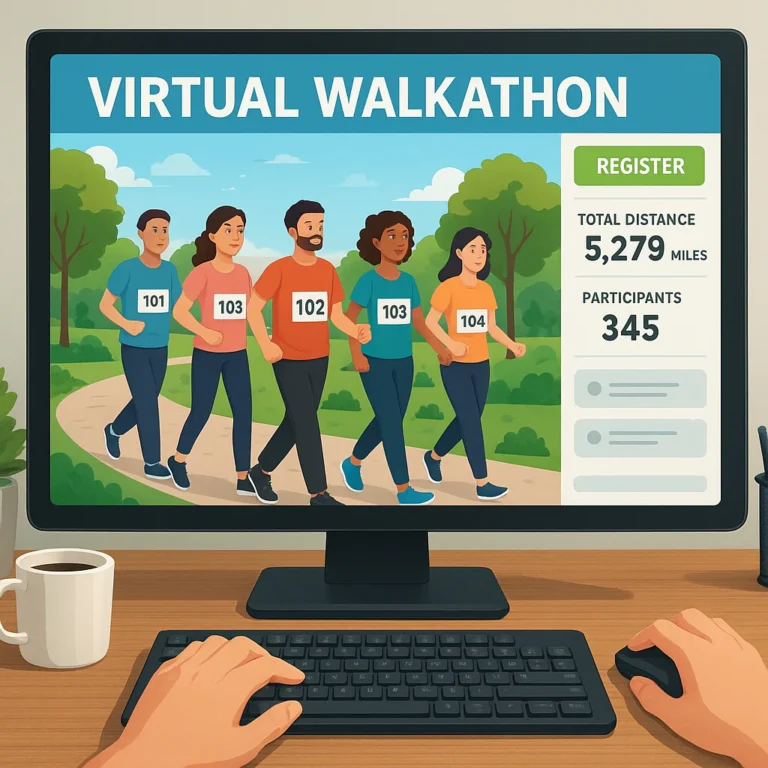
A Walkathon Virtual lets you take part in a walking event from your own route, on a schedule that suits you—and can bring people together for fitness, fundraising, or a cause you care about. If you’re organizing one, start with a clear goal, flexible participation options, and simple instructions for registering and tracking progress.
We’ve seen how a neighborhood walk can become a shared event: one person tracks steps on a phone, another walks with family, and a teammate joins from miles away. That flexibility is the appeal—but the best events also plan for safety, accessibility, privacy, and the small details that keep participants motivated.
Key Takeaways
- Virtual walkathons happen anywhere: Participants complete a walk or approved activity on their own route and follow the event’s rules.
- Start with a clear purpose: Define the cause, audience, dates, activity options, and how you’ll measure success.
- Make participation straightforward and inclusive: Offer flexible goals, accessible information, and clear tracking instructions.
- Use the right tools—not the fanciest ones: GPS apps, fitness trackers, treadmill displays, and manual logs can all work when the organizer explains what counts.
- Promote, support, and follow up: Share easy-to-use fundraising materials, communicate before and during the event, and report results afterward.
- Safety and privacy still matter: Encourage sensible route planning and collect only the participant information the event truly needs.
Table of Contents
- ⚡️ Quick Tips and Facts
- 🚶 What Is a Virtual Walkathon?
- Virtual Walkathon vs. In-Person Walk: Key Differences
- Who Can Benefit from a Virtual Walking Event?
- 📚 Virtual Walkathon History and How Online Walking Events Evolved
- 🎯 Benefits of Hosting a Virtual Walkathon
- 🧭 How to Organize a Virtual Walkathon: 15 Steps from Idea to Finish Line
- 1. Set Your Walkathon Goal and Choose a Cause
- 2. Define Your Audience and Event Format
- 3. Pick a Date, Duration, and Distance
- 4. Build a Realistic Budget
- 5. Choose a Virtual Walkathon Platform
- 6. Set Registration, Fundraising, and Donation Options
- 7. Create a Clear Event Website and Registration Page
- 8. Recruit Volunteers and Event Partners
- 9. Plan Prizes, T-Shirts, Medals, and Swag
- 10. Make the Walkathon Inclusive and Accessible
- 11. Promote Your Virtual Walkathon
- 12. Prepare Participants with Safety and Walking Guidance
- 13. Run the Event-Day Kickoff and Online Activities
- 14. Track Walks, Share Updates, and Celebrate Progress
- 15. Thank Participants and Report Your Results
- 💡 Virtual Walkathon Themes and Creative Event Ideas
- 💰 Virtual Walkathon Fundraising Ideas That Encourage Giving
- 📱 Virtual Walkathon Apps, Distance Tracking, and Technology
- GPS Apps, Fitness Trackers, and Manual Walk Logs
- Privacy, Data Security, and Participant Consent
- 📣 Virtual Walkathon Marketing and Social Media Promotion
- 🦽 Accessibility, Safety, and Weather Planning
- 🏫 Virtual Walkathons for Schools, Nonprofits, Workplaces, and Communities
- 📊 Virtual Walkathon Metrics: How to Measure Success
- ❌ Common Virtual Walkathon Mistakes and How to Avoid Them
- ❓ Virtual Walkathon FAQs
- How does a virtual walkathon work?
- How long should a virtual walkathon last?
- How do participants prove they completed their walk?
- Can participants walk on a treadmill?
- How do you raise money with a virtual walkathon?
- What does it cost to host a virtual walkathon?
- 🏁 Conclusion
- 🔗 Recommended Links
- 📚 Reference Links
⚡ Quick Tips and Facts
First, the useful bit: a virtual walkathon lets you walk, roll, or otherwise move on your own route while joining a shared event, challenge, or fundraiser. You can take part from your neighborhood, a treadmill, a park, or a group route organized locally.
For a practical guide to tracking and joining online events, see our guide to 🚶 ♀️ 10 Best Walkathon Virtual Apps to Transform Your Steps (2026).
| At a glance | What to know |
|---|---|
| Where | Anywhere that’s safe and appropriate for your chosen activity |
| When | A single event day, a weekend, or a multiweek challenge |
| How far | Set by the organizer—or chosen by each participant |
| How progress is tracked | GPS app, fitness tracker, pedometer, treadmill display, or a simple self-reported log |
| Who can join | Individuals, families, teams, workplaces, schools, and community groups |
| What the event can support | Fitness, connection, awareness, fundraising, or a combination |
| What matters most | Clear instructions, a realistic goal, accessible participation, and a reason to keep showing up |
Five quick pointers before you sign up
- ✅ Check the event’s rules. Some set a fixed distance and date; others let you choose when and how far to walk.
- ✅ Choose a route that suits you. A flat, familiar route may be a better fit than an ambitious hill climb.
- ✅ Use the tracking method the organizer accepts. A screenshot from a phone app may be useful, but many events rely on a simple honor-system log.
- ✅ Make the fundraising ask personal. A brief explanation of why the cause matters to you is more compelling than a bare donation link.
- ❌ Don’t turn “virtual” into “unsupervised.” Check weather, traffic, lighting, mobility needs, hydration, and any health concerns as you would for any walk.
The CDC’s physical activity guidance recommends that adults aim for at least 150 minutes of moderate-intensity aerobic activity each week, plus muscle-strengthening activity on two days. That’s a general target, not a requirement for joining a walkathon. Your starting point, health, and clinician’s advice matter.
🚶 What Is a Virtual Walkathon?
A virtual walkathon is a walking or movement event that participants complete separately, rather than all gathering at one start line. Organizers provide the event’s goal, dates, sign-up process, and any fundraising or participation rules. You complete your activity where you are, then share or report your progress according to the event instructions.
Some virtual walks are simple awareness activities. The VA National Center for PTSD’s Step Up for PTSD Awareness Virtual Walk, for example, asks participants to complete 30 minutes of exercise at any time in June and offers downloadable event materials. Other events are peer-to-peer fundraisers, where participants create personal fundraising pages and invite friends and family to support a cause.
A virtual event can be a solo neighborhood walk, a family outing, a workplace step challenge, a livestreamed movement session, or a global event with people checking in from different time zones. The format is flexible; the organizer’s instructions define the event.
Virtual walkathon vs. in-person walk: key differences
| Feature | Virtual walkathon | In-person walk |
|---|---|---|
| Route | Often chosen by each participant | Usually organized around a set course |
| Schedule | May allow a time window of days or weeks | Usually has a fixed start time |
| Community | Online groups, team chats, social posts, or local meetups | Face-to-face interaction at the event |
| Travel | Often no travel to a central venue | Participants typically travel to the start |
| Event support | Online instructions and remote check-ins | Course marshals, check-in stations, and on-site support may be available |
| Accessibility | Flexible routes can suit varied needs, but participants must assess local conditions | A single course can be easier to coordinate, but may not suit every mobility or sensory need |
| Tracking | Usually app-based, device-based, or self-reported | Often based on event check-in or course timing |
| Best fit | People who value flexibility or live far from an event | People who prefer a shared start line and in-person energy |
Virtual doesn’t automatically mean easier, safer, or more inclusive. A flexible route can help participants choose what works for them, but organizers still need to provide clear accessibility information and participants still need to plan for local conditions.
Who can benefit from a virtual walking event?
Virtual walkathons can work well for:
- People who live far from a traditional event
- Families looking for a shared activity with adjustable distance
- Workplaces and schools planning a team challenge
- People supporting a cause who want to fundraise within their own networks
- Participants with varied fitness or mobility needs, when the event allows adapted routes and activities
- Global teams who can’t reasonably gather in one place
Some events also allow activities beyond walking. The VA’s awareness walk, for example, describes walking, running, biking, rolling, and swimming as ways to take part. Always check the specific event’s rules before substituting an activity.
📚 Virtual Walkathon History and How Online Walking Events Evolved

Virtual walking events draw on two familiar ideas: community walks and distance challenges. Online registration, fundraising pages, fitness apps, GPS-enabled phones, and social media made it easier for organizers to bring those ideas to people who couldn’t meet at one venue.
Today, a virtual walkathon may be a one-day awareness activity or a month-long fundraiser. The American Liver Foundation’s Liver Life Walk, Your Way™ illustrates the flexible model: participants can register, personalize a fundraising page, choose when to walk, and take part alone or with a team. The VA’s annual PTSD awareness activity illustrates a different format, with a specific month and a 30-minute exercise target.
There’s no single blueprint. The event’s purpose determines its shape: an awareness campaign may prioritize reach and shared messaging, while a fundraiser may focus on participant pages, donations, and measurable impact.
How virtual walkathons expanded the idea of “race day”
| Earlier event emphasis | Common virtual-event option |
|---|---|
| One start line and course | Individual routes or local meetups |
| Fixed event-day schedule | Flexible dates or completion windows |
| On-site announcements | Email, social posts, livestreams, and team updates |
| Physical check-in | Online registration and digital check-ins |
| Course distance | Fixed target, self-selected goal, or cumulative team total |
A virtual format can reduce the need for a central venue, but it still takes planning. Organizers need a clear event page, communication schedule, participation rules, support contacts, and a plan for telling participants what their involvement achieved.
🎯 Benefits of Hosting a Virtual Walkathon
More flexible participation
A participant may complete a short walk near home, join a group route, or spread a longer challenge across several days. That flexibility can help people fit an event around work, family, travel, and different activity levels.
A wider community
An online event can bring together people who live in different cities, regions, or countries. The Global Walkathon Events category can help readers explore events with a wider reach.
Fundraising beyond the event route
Participants can invite supporters who may never attend a physical walk. A personal fundraising page makes it easier to connect a donation request with an individual’s reason for taking part. Explore more walkathon fundraising ideas.
A low-barier way to encourage movement
A walkathon can provide a social reason to take a walk, set a goal, and celebrate progress. The CDC’s overview of walking describes walking as one way adults can build physical activity into daily life. Start at a comfortable level and increase activity gradually.
Benefits and trade-offs at a glance
| Potential benefit | What can make it work | Possible drawback |
|---|---|---|
| Flexible schedule | A generous completion window and clear deadlines | Participants may lose momentum without reminders |
| Broader reach | Easy online registration and shareable event information | Digital access and time zones can complicate participation |
| Lower venue dependence | Remote routes and online tools | Organizers still need to budget for technology, communications, and fulfillment |
| Personal fundraising | Strong participant stories and easy-to-use pages | Fundraising can feel awkward without sample messages and support |
| Adaptable activity | Multiple distance and mobility options | Vague rules can leave participants unsure what counts |
| Community connection | Team pages, social groups, live check-ins | Online interaction won’t suit everyone |
🧭 How to Organize a Virtual Walkathon: 15 Steps from Idea to Finish Line
Planning a virtual walkathon is part event design, part community organizing, and part clear communication. CauseVox describes a virtual walk or race as a peer-to-peer fundraiser in which participants complete an activity challenge and raise money through personal pages. Its guide also recommends choosing a platform that is easy to use, mobile-friendly, and suited to the organizer’s data and fundraising needs. Read its How to Organize a Virtual Fundraising Walk or Race guide.
1. Set your walkathon goal and choose a cause
Write down what success means before you pick a platform or design a logo.
Possible goals include:
- Raise funds for a defined program
- Increase awareness of a health or community issue
- Encourage a group to move more often
- Bring supporters together around a shared experience
- Recruit volunteers or build a longer-term community
Make the cause concrete. Tell participants who benefits, what donations support, and how you’ll report back. Avoid promising that a specific donation amount will fund a particular service unless the organization can verify that claim.
2. Define your audience and event format
Decide whom you’re inviting and what kind of participation will suit them.
| Event format | Works well for | Planning considerations |
|---|---|---|
| Individual challenge | Participants who want to set personal goals | Provide a simple log and flexible target options |
| Team challenge | Families, workplaces, clubs, or schools | Set up team pages and explain how team totals work |
| Fundraising walk | Nonprofits and community causes | Provide donation pages, fundraising guidance, and impact updates |
| Awareness walk | Campaigns focused on visibility | Share approved messaging, graphics, and event hashtags |
| Livestreamed movement event | Groups that want a shared virtual gathering | Provide a schedule, host, captions, and backup plan |
| Hybrid event | Organizers offering both remote and local participation | Explain which activities are online and which have an in-person meeting point |
3. Pick a date, duration, and distance
Choose a schedule that gives participants enough time to register, prepare, and complete the activity.
You might offer:
- A single event day with flexible start times
- A weekend challenge
- A one-week or multiweek window
- A fixed distance, such as a short community walk
- A choice of goals, such as minutes, steps, or distance
- A cumulative team target completed collectively
CauseVox gives examples of formats such as completing a distance in one day or spreading a longer challenge over multiple weeks. Those are examples, not universal standards. Match the challenge to your audience, weather, terrain, and mission.
4. Build a realistic budget
A virtual event may not need a central venue, but it isn’t automatically cost-free. List likely costs before you select event features.
| Budget area | Questions to ask |
|---|---|
| Registration and fundraising platform | Are there platform or payment-processing fees? |
| Promotion | Will you need design, printing, or paid media? |
| Event materials | Are you supplying bibs, certificates, or downloadable graphics? |
| Merchandise | Will you mail shirts, medals, or other items? |
| Accessibility | Do you need captions, translation, accessible documents, or support services? |
| Staff and volunteers | Who handles questions, donations, and participant updates? |
| Contingency | What happens if shipping, technology, or event plans change? |
Be transparent about how funds are used, including fees where relevant. A simple event can be excellent; a pile of custom swag is not the same thing as participant impact.
5. Choose a virtual walkathon platform
Compare platforms based on what your event actually needs rather than choosing the one with the most features.
Look for:
- Mobile-friendly registration
- Fundraising pages for individuals and teams
- Donation processing and receipts
- Goal and progress displays
- Participant communications
- Exportable reports
- Privacy controls
- Support for your organization’s payment and data policies
- Activity tracking, if the event requires it
CauseVox highlights features such as branded campaign pages, peer-to-peer fundraising, donation forms, and activity metrics in its event-planning article. Other organizations may use different tools, including a basic form and a separate fundraising platform. Test the participant experience on a phone before you launch. If registration feels like assembling flat-pack furniture without the instructions, simplify it.
6. Set registration, fundraising, and donation options
Decide whether registration is free, donation-based, or tied to a fundraising goal. Be clear about what is required and what is optional.
- If registration is free, explain how participants can fundraise or donate.
- If you suggest a fundraising target, frame it as a goal rather than a condition unless the event truly requires it.
- Explain how donations are processed and when receipts are issued.
- Make matching gifts easy to understand.
- State whether participants can join a team after registering.
A participant’s first donation can help them get comfortable sharing a page, but don’t imply that they must give personally to take part unless that is an explicit event rule.
7. Create a clear event website and registration page
Your landing page should answer the basic questions quickly:
- What is the event?
- Who or what does it support?
- Who can participate?
- When does it happen?
- What activity counts?
- How do I register, track progress, and fundraise?
- Where can I get help?
Add a concise FAQ, accessible contact details, and plain-language instructions. Link to your event promotion resources for ideas on outreach and messaging.
8. Recruit volunteers and event partners
Assign clear responsibilities. A volunteer plan might include:
- Registration and participant questions
- Fundraising support
- Social media moderation
- Team and sponsor coordination
- Accessibility and language support
- Event updates and results
- Merchandise fulfillment, if applicable
Invite board members, staff, returning participants, community partners, and local organizations to help spread the word. Give each person a small set of ready-to-share messages and graphics. A toolkit saves everyone from writing “please join our walk” 47 different ways.
9. Plan prizes, T-shirts, medals, and swag
First decide whether merchandise supports the event’s goals. Some participants enjoy a T-shirt or digital certificate; others prefer that resources go directly toward the cause.
If you offer physical items:
- Confirm sizes, delivery areas, and fulfillment deadlines.
- Order samples before committing to a product or design.
- Make clear whether an item is guaranteed or tied to a fundraising milestone.
- Provide a non-merchandise participation option.
- Consider a digital bib or printable certificate.
CauseVox’s guide discusses merchandise fulfillment and recommends allowing time for account setup, design review, and sample checks. Those timelines can vary, so confirm directly with the provider before promising delivery dates.
10. Make the walkathon inclusive and accessible
Accessibility is part of event planning, not a last-minute add-on. Offer clear information on route surfaces, activity choices, captions, document formats, and participation options. Explore our accessibility in walkathons resources.
Consider:
- Allowing walking, wheling, or another approved activity
- Offering distance, time, or step-based goals
- Providing screen-reader-friendly registration pages
- Adding captions to video content
- Writing image descriptions for social posts
- Sharing route details and surface conditions
- Offering a low-sensory or at-home option
- Providing translated instructions where practical
- Avoiding language that treats a single pace or distance as the “real” event
The U.S. Access Board provides information about accessibility standards. For individualized accommodation planning, consult participants and relevant accessibility professionals rather than guessing what they need.
11. Promote your virtual walkathon
Start outreach early enough for people to register, form teams, and prepare. Use channels your audience already checks.
- Send email announcements and reminders.
- Share a direct registration link on your website.
- Give participants sample social posts.
- Ask partners and sponsors to share the event.
- Use a consistent event hashtag.
- Tell a clear story about the cause and event impact.
- Share short updates as the event approaches.
CauseVox recommends using email, social media, local media, beneficiary stories, and participant toolkits. Browse our event promotion ideas for more outreach approaches.
12. Prepare participants with safety and walking guidance
Send useful guidance before people set off—not just a chery “tomorrow’s the big day!”
Include:
- A suggested preparation checklist
- Reminder to choose an appropriate route
- A weather and daylight check
- Advice to wear comfortable footwear and suitable clothing
- Hydration guidance appropriate to conditions and activity
- A contact method for event support
- Instructions for recording or submitting progress
The National Institute on Aging’s walking safety advice includes choosing safe walking locations and wearing suitable shoes. Participants with a health condition, pain, or concerns about increasing activity should seek advice from a qualified health professional.
13. Run the event-day kickoff and online activities
A virtual event still benefits from a moment that makes it feel shared.
Options include:
- A short livestream welcome
- A recorded message from the organizer
- A team photo thread
- A virtual warm-up led by a qualified instructor
- A scheduled check-in
- A shared playlist or event hashtag
- A remote finish-line celebration
Offer alternatives for people who can’t attend live. Post the instructions and replay afterward when appropriate.
14. Track walks, share updates, and celebrate progress
Choose one tracking method and explain it clearly. Participants might report steps, distance, activity minutes, or completion status. If the event uses a platform metric, specify which activities count and whether estimates are acceptable.
Send updates that celebrate participation—not only the biggest mileage totals. Recognition can include:
- First-time participants
- Team effort
- Fundraising milestones
- Creative routes
- Consistency
- Community stories
This keeps the event from becoming a leaderboard that rewards only the people with the most free time or the fastest pace.
15. Thank participants and report your results
After the event, thank walkers, donors, volunteers, sponsors, and partners. Share a concise results update that explains:
- How many people participated
- What the community accomplished
- Funds raised, if applicable
- Where proceeds will go
- A story or example that illustrates the event’s impact
- What happens next
The best closing message is specific. “Thanks for coming” is pleasant; “Your participation helped us reach this program goal” tells people why their effort mattered.
💡 Virtual Walkathon Themes and Creative Event Ideas
A theme gives participants an easy way to picture the event and talk about it. Keep theme connected to your audience and mission.
| Theme | How it works | Useful for |
|---|---|---|
| Walk Around the World | Participants log distance toward a shared virtual route | Global teams and schools |
| Walk Your Way | People choose their route and preferred activity | Flexible community events |
| Step-Up Challenge | Teams aim for an agreed step total | Workplaces and families |
| Sunrise-to-Sunset Walk | Participants join at different times in their local time zones | International events |
| Memory Walk | Participants walk in honor or memory of someone | Awareness and community support |
| Neighborhood Bingo Walk | Participants visit safe, accessible landmarks or complete simple observation prompts | Families and local groups |
| Move-a-thon | Walking is one option among several movement activities | Schools and mixed-ability groups |
| Photo Story Walk | Participants share a route photo or short reflection | Awareness campaigns |
| Green Route Challenge | Participants choose parks or walkable routes and share observations | Environmental groups |
| Team Relay—Online Edition | Participants pass a virtual baton through team updates | Clubs and workplaces |
The VA’s virtual PTSD awareness walk demonstrates how a concise activity target and downloadable visuals can support an awareness theme. For a broader cause-focused activity, the American Liver Foundation’s Liver Life Walk, Your Way™ encourages participants to choose a time and involve their own community.
Theme test: can a participant explain the event in one sentence? If not, simplify it.
💰 Virtual Walkathon Fundraising Ideas That Encourage Giving
People are more likely to support an event when they understand why it matters and what their contribution supports. CauseVox emphasizes personal fundraising pages, participant stories, tangible impact information, and matching gifts in its guide. Those tactics work best when the organization can make accurate, transparent claims.
Try these ideas:
- Personal fundraising pages: Give each participant a page they can personalize with their reason for walking.
- Team challenges: Invite teams to set a shared goal, with multiple ways to contribute.
- Matching gifts: Ask a sponsor or donor to match eligible donations, and explain the match terms.
- Mission-linked milestones: Connect progress to a verified program outcome; don’t invent a dollar-to-impact conversion.
- Peer-to-peer invitations: Give participants sample messages for email and social media.
- Story-led updates: Share beneficiary stories only with informed consent and appropriate privacy protections.
- Community sponsorships: Invite local businesses to support the event or share it with customers.
- Optional merchandise: Offer a shirt or other item if it makes sense for the budget and mission.
- Fundraising toolkit: Supply logos, graphics, suggested captions, and a short explanation of the cause.
For more ideas, visit our fundraising ideas for walkathons.
Give people a clear reason to donate
A useful fundraising page answers three questions:
- Why this cause?
- Why are you taking part?
- What will donations support?
Keep the story honest and specific. If a fundraiser supports multiple programs, say so. If platform or payment fees apply, explain how they are handled.
📱 Virtual Walkathon Apps, Distance Tracking, and Technology
Your tracking setup can be high-tech or delightfully simple. The right option is the one that participants can use consistently and the event can explain fairly.
GPS apps, fitness trackers, and manual walk logs
| Method | Strengths | Limitations | Best suited to |
|---|---|---|---|
| Phone GPS app | Records route and distance outdoors | GPS can be inaccurate around tall buildings, under cover, or with weak signal | Events requiring distance records |
| Fitness tracker | Convenient for everyday steps and activity | Devices measure and classify activity differently | Step challenges and personal tracking |
| Phone pedometer | Uses a device many participants already own | Accuracy varies by phone placement and settings | Informal step goals |
| Treadmill display | Useful for indoor walking | May be unavailable or not accepted as verification | Indoor participants |
| Manual log | Low-tech and accessible | Relies on participant reporting | Flexible, trust-based events |
| Platform activity metric | Can combine event data and fundraising | Depends on the platform’s features and setup | Organized challenges with digital dashboards |
CauseVox describes an Activity Metric that can be used to track different types of challenges, including distance, minutes, and other activity measures. Features and integrations change, so confirm current capabilities with the platform before you build your event around them.
Tracking tips for participants
- Set the app to the correct activity mode.
- Carry your phone in a consistent place if you’re counting steps.
- Give location permission only if you’re comfortable and the app needs it.
- Take a screenshot or note the result if the event asks for proof.
- Don’t compare numbers from different devices as if they were laboratory measurements.
- Ask the organizer whether indoor walking, wheling, or manual entries count.
Privacy, data security, and participant consent
Collect only the information your event needs. Explain what you’re collecting, who can see it, and how long it will be kept. Avoid publicly sharing precise home routes or location histories without informed consent.
For data-handling basics, the Federal Trade Commission’s guidance on protecting personal information is a useful starting point for organizers. Participants should review an app’s privacy settings and permissions before using it.
📣 Virtual Walkathon Marketing and Social Media Promotion
Promotion works best when people understand the event quickly and can share it without rewriting your whole campaign.
A practical outreach sequence
| When | What to share |
|---|---|
| Launch | Event purpose, dates, registration link, and a clear call to action |
| As registration grows | Team invitations, participant stories, and fundraising guidance |
| Before the event | Route and safety reminders, activity rules, and event schedule |
| During the event | Progress updates, check-ins, and participant highlights |
| After the event | Results, thanks, and a transparent impact update |
Make sharing easy
- Create sample captions in different lengths.
- Provide a square and a wide version of your event graphic.
- Use readable text and image descriptions.
- Choose a hashtag that is short and easy to spell.
- Include a direct registration or donation link.
- Offer a private alternative for participants who don’t use social media.
A participant toolkit can include a short biography template, sample fundraising message, event logo, FAQ, and social graphics. See our event promotion resources for more campaign ideas.
🦽 Accessibility, Safety, and Weather Planning
A virtual walkathon moves the route closer to participants—but also shifts some route-planning responsibilities to them. Organizers should be transparent about event expectations and invite participants to choose a suitable way to take part.
Accessibility checklist for organizers
- Offer more than one participation format when possible.
- State whether walking, wheling, treadmill activity, or other movement counts.
- Provide clear event instructions in accessible digital formats.
- Caption recorded video and live content where possible.
- Share route requirements if you host local meetups.
- Make fundraising optional if it is not essential to participation.
- Provide a contact for accommodation questions.
Visit our accessibility in walkathons category for related guidance.
Safety checklist for participants
Before you head out:
- Choose a route that matches your ability and conditions.
- Check the forecast and daylight.
- Wear visible clothing when light is low.
- Use sidewalks or paths where available and obey local traffic rules.
- Carry a phone if appropriate, and let someone know your plan for longer routes.
- Take breaks and stop if you feel unwell.
- Follow local guidance for heat, cold, air quality, and severe weather.
The National Weather Service’s heat safety guidance can help participants prepare for hot conditions. If you have a medical concern or are unsure what level of activity is suitable, consult a healthcare professional.
A family walk still needs a plan
If children, pets, or other family members join, select a route and pace that work for the group. The featured CWC virtual walk video shows a family walking around the neighborhood with a child on a balance bike and an energetic puppy in tow. It’s a cheerful reminder that a virtual event can be an ordinary neighborhood outing—not a perfectly choreographed race. The video’s practical lesson? Build in flexibility for the people and pets sharing the path.
🏫 Virtual Walkathons for Schools, Nonprofits, Workplaces, and Communities
Schools and youth groups
- Use age-appropriate goals and clear supervision arrangements.
- Offer team or classroom participation.
- Set a realistic event window around school schedules.
- Share family guidance and activity safety information.
- Make fundraising optional if the core aim is participation.
Nonprofits and community organizations
- Connect the activity directly to the mission.
- Give participants a simple toolkit and fundraising page.
- Explain where donations go and how results will be reported.
- Recruit existing supporters as team captains.
- Offer both online participation and local meetups where practical.
Workplaces
- Offer multiple activity goals, not just a single step leaderboard.
- Make participation voluntary.
- Include off-screen options for employees who don’t use workplace social platforms.
- Celebrate consistency, teamwork, and participation—not only top totals.
Clubs and neighborhood groups
- Set an optional shared route or a team distance target.
- Identify a contact person for questions.
- Consider local weather, path conditions, and accessibility.
- Use a private group or email list for updates.
📊 Virtual Walkathon Metrics: How to Measure Success
A strong event doesn’t measure only the money raised or the longest distance walked. Choose metrics that match your event’s purpose.
| Goal | Useful measures |
|---|---|
| Fundraising | Total donations, number of donors, team fundraising participation |
| Reach | Registrations, new participants, geographic spread |
| Engagement | Event-page visits, email responses, team updates, shared stories |
| Activity | Logged steps, minutes, distance, or completed sessions |
| Awareness | Resource downloads, campaign reach, participant feedback |
| Community | Team formation, returning participants, volunteer involvement |
| Accessibility | Accommodation requests addressed, accessible content available, participant feedback |
Don’t treat every number as proof of impact. Registrations show interest; they don’t automatically show that participants completed the activity or that a campaign changed attitudes. Report what you measured and how.
❌ Common Virtual Walkathon Mistakes and How to Avoid Them
| Mistake | Why it causes trouble | Better approach |
|---|---|---|
| Unclear event rules | Participants don’t know what counts | Publish activity, dates, distance, and reporting rules |
| Too many steps to register | People may abandon the process | Test the sign-up flow on a phone and remove unnecessary fields |
| An unrealistic challenge | Participants may feel excluded or discouraged | Offer adaptable goals and explain that a comfortable pace is welcome |
| Last-minute promotion | Teams have little time to form or fundraise | Build an outreach schedule and provide shareable materials |
| A leaderboard that rewards only high mileage | It can favor participants with more time or fewer barriers | Celebrate multiple types of participation |
| Surprise merchandise terms | Participants may misunderstand what is included | State eligibility and delivery details before registration |
| Collecting unnecessary personal data | It increases privacy risk and reduces trust | Ask only for information you genuinely need |
| No post-event update | Participants don’t learn what their effort accomplished | Share results and next steps promptly |
| Treating virtual as automatically accessible | Local routes and digital tools still create barriers | Ask participants what options and information they need |
❓ Virtual Walkathon FAQs

How do virtual walkathons compare to traditional in-person events?
A virtual walkathon usually lets participants complete the activity on their own route and schedule. An in-person event generally brings participants together at a shared start point and may provide course support and face-to-face interaction. Virtual formats can reduce travel and allow wider geographic participation; in-person events often offer a stronger shared “race-day” atmosphere. The best choice depends on your priorities, audience, and accessibility needs.
Read more about “How do virtual walkathons compare to traditional in-person events?”
What are the best tips for organizing a successful virtual walkathon?
Start with a clear purpose, choose an achievable format, and make registration easy to understand. Explain what activity counts, how participants report progress, and where fundraising goes. Offer accessible participation options, recruit volunteers, promote early, and send helpful reminders. Afterward, share results and thank everyone who contributed.
Read more about “7 Ways to Get Virtual Walkathon Sponsors 🚶 ♀️”
Are there any global virtual walkathons happening this year?
Events and schedules change from year to year, so check the organizer’s official event page for current dates and registration details. The American Liver Foundation’s Liver Life Walk, Your Way™ is an example of a flexible virtual walking fundraiser; the VA’s PTSD Awareness Virtual Walk is annual awareness activity associated with June. Check both pages for current participation information before making plans.
Read more about “Are there any global virtual walkathons happening this year?”
How do virtual walkathons work?
You register online, read the event rules, complete a walk or approved activity where you are, and report or share your progress if required. Some events include fundraising pages, team goals, merchandise, or scheduled online activities. The organizer’s instructions determine how distance, activity, and donations are handled.
Read more about “🔮 Future of Virtual Fitness Challenges (2026)”
How do I join a virtual walkathon online?
Find an event’s official registration page, check the dates and activity rules, and sign up using the organizer’s process. If fundraising is part of the event, personalize your page and share it with people you know. Before starting, confirm how the event accepts progress updates and which tracking methods count.
Read more about “🚀 Yes! How to Create Your Own Virtual Walkathon (2026 Guide)”
Can I participate in a virtual walkathon from anywhere in the world?
Often, yes—but don’t assume. Some events restrict participation by country because of shipping, payment processing, insurance, or eligibility rules. Check the registration terms, time zone, activity requirements, and any restrictions before signing up.
Read more about “Can I participate in a virtual walkathon from anywhere in the world?”
How do virtual walkathons track your steps or distance?
Organizers may accept GPS apps, phone pedometers, fitness trackers, treadmill displays, platform metrics, or self-reported logs. Device readings can differ, so the event should specify one accepted method or allow multiple reporting options. For casual participation, the organizer may use an honor system rather than formal verification.
Read more about “📍 How Virtual Walkathons Track Your Miles (2026)”
Are virtual walkathons free to join?
Some are free, some request a donation, and others have a registration or fundraising structure. Check the event page for any registration, payment, merchandise, or shipping terms. A free sign-up does not always mean there are no optional fundraising or purchase requests.
Read more about “🚶 ♂️ 7 Ways VR Integration Revolutionizes Virtual Walkathons (2026)”
What should I wear for a virtual walkathon?
Wear comfortable footwear and clothing suited to the route, season, and weather. If you’ll be near roads or walking in low light, visible clothing can help others see you. The National Institute on Aging’s exercise and walking advice includes guidance on shoes and safe walking habits.
Read more about “Walkathon Events”
How can I organize a virtual walkathon for charity?
Choose a cause and measurable goal, select a suitable event platform, set the format and dates, and create a clear registration and donation page. Recruit team captains and volunteers, prepare a participant toolkit, and promote the event through email, social media, and partner organizations. Explain how donations will be used, then publish a results update after the event. CauseVox’s virtual walkathon planning guide offers additional peer-to-peer fundraising suggestions.
Read more about “How Does Gone For A Run Work? 🏃 ♂️ Your Ultimate Guide (2026)”
Where can I find virtual walkathons happening worldwide?
Start with official nonprofit, health organization, school, workplace, and community event pages. Our Global Walkathon Events category is another place to explore virtual and international opportunities. Confirm dates and eligibility with each organizer because event listings can change.
Read more about “🚶 ♀️ What Is a Virtual Walkathon? The 2026 Guide to Moving Anywhere”
Can I walk on a treadmill or choose another activity?
Some events allow treadmill walking or alternative activities; others require outdoor walking or a defined activity. The VA awareness walk, for example, lists several movement options. Check the event rules first so you know whether your activity counts and how to report it.
Read more about “7 Best Virtual Walkathons for Chronic Illness & Fatigue (2025) 🚶 ♀️”
Do I need a fitness tracker to take part?
Usually not. Many virtual events accept a phone app, a manual log, or a participant’s self-report. A tracker can be handy, but it isn’t necessary unless the event specifically requires a device or app.
How do I make a virtual walkathon more accessible?
Offer flexible activity choices, adaptable goals, accessible digital content, clear route information, and a contact for accommodation requests. Ask participants what would help rather than assuming one solution fits everyone. See our accessibility in walkathons resources for more guidance.
Read more about “🚶 ♀️ Are Virtual Walkathons for Everyone? (2026 Guide)”
How can participants stay motivated during a multiweek challenge?
Set a realistic personal goal, schedule walks in advance, join a team, and celebrate small milestones. Organizers can help with regular updates, team check-ins, participant stories, and varied recognition that doesn’t focus only on distance. If motivation dips, adjust the goal rather than treating an interrupted routine as failure.
What should organizers do with participants’ location and health data?
Collect the minimum information necessary, explain who can access it, and avoid publishing precise routes or sensitive details without permission. Make participation instructions clear about any app permissions. Organizers should follow applicable privacy and data-protection requirements and seek professional advice if handling sensitive information.
🏁 Conclusion