Support our educational content for free when you purchase through links on our site. Learn more
📍 How to Track Distance in a Remote Walking Event (2026)

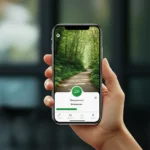
To answer “How do I track my progress and distance during a remote walking event?”: use a GPS walking app or fitness watch for outdoor walks, record treadmill or indoor-track distance from the machine or lap count, and keep a simple log of each session. Check your event’s rules before you start, because organizers differ on which tracking methods and proof they accept.
At Walkathon Virtual™, we recommend choosing one main tracking method and a backup. A GPS route can drift near tall buildings or under heavy tree cover, while a phone left behind on the kitchen counter is famously bad at counting your miles. A quick post-walk check can save you from discovering that your impressive stroll was recorded as a brisk tour of the parking lot.
Key Takeaways
- Check the event rules first: Confirm deadlines, accepted tracking methods, distance units, and how to submit results.
- Pick a dependable tracker: Use a GPS app or watch outdoors; use treadmill readouts, indoor-track laps, or a manual log indoors.
- Record every walk promptly: Note the date, distance, duration, activity type, and any details your organizer requires.
- Verify before submitting: Review the route or step total, check for duplicate entries, and save screenshots or other requested proof.
- Make tracking work for you: Set a realistic target, split longer distances into manageable walks, and choose safe, accessible routes.
Table of Contents
- ⚡️ Quick Tips and Facts
- 📍 How to Track Your Progress and Distance During a Remote Walking Event
- Choose a distance-tracking method that fits your walk
- Record your starting point, distance, time, and route
- Check your progress and confirm your final event total
- 🚶 Remote Walking Events Explained: What Counts as a Virtual Walkathon?
- 🕰️ How Virtual Walking Events Have Changed the Way We Walk
- 🏁 How a Virtual Walking Event Works: From Sign-Up to Finish Line
- Choose an event, distance, and participation window
- Register, set a goal, and review event materials
- Walk, record your progress, and submit results
- 📋 Remote Walking Event Rules and Guidelines
- Complete the required distance within the event timeframe
- Walk safely and follow local laws
- Track and report your distance honestly
- Check team, age, and accessibility requirements
- Review policies for pets, strollers, wheelchairs, and assistive devices
- Follow charity fundraising and privacy guidelines
- 📱 Distance Tracking: Walking Apps, Wearables, and Manual Logs
- 1. GPS walking apps and phone-based distance tracking
- 2. Fitness watches, smartwatches, and step counters
- 3. Manual walking logs, maps, and proof of completion
- 4. Treadmill and indoor-track distance tracking
- Compare GPS, step-based, and manual tracking methods
- Estimate distance from steps without double-counting
- Fix inaccurate routes, step counts, and syncing problems
- 🧭 Building a Reliable Progress-Tracking Routine
- Set a realistic walking goal and daily or weekly target
- Log miles or kilometers, steps, duration, and activity type
- Save screenshots, app exports, or other completion records
- Keep your event dashboard and fitness apps in sync
- 🛡️ Walking Safety, Accessibility, and Weather Planning
- Choose a safe route and plan for traffic
- Prepare for hydration, footwear, visibility, and changing weather
- Adapt your walk for different abilities and mobility needs
- 🌍 Can You Join a Virtual Walkathon from Anywhere?
- Check time zones, event dates, and international participation rules
- Choose a local route, treadmill, indoor track, or outdoor trail
- 💚 Charity Walks: Fundraising, Donations, and Choosing a Cause
- Check how donations are collected and used
- Protect personal information when sharing progress
- 🔎 Choosing the Right Remote Walking Event
- Find beginner-friendly distances and first-time walker events
- Compare event formats, organizers, and participant support
- Questions to ask before registering
- 🎉 Staying Motivated During a Virtual Walking Challenge
- Break a long distance into manageable walks
- Walk with friends, teams, or online communities
- Use milestones, music, and progress updates
- ⚖️ Benefits and Drawbacks of Remote Walking Events
- What participants love about virtual walkathons
- Common challenges and practical ways to handle them
- 🚫 Common Remote Walking Event Mistakes to Avoid
- ✅ Key Takeaways for a Safe, Successful Virtual Walk
- Conclusion
- 🔗 Recommended Links
- 📚 Reference Links
Table of Contents
- ⚡️ Quick Tips and Facts
- 📍 How to Track Your Progress and Distance During a Remote Walking Event
- Choose a distance-tracking method that fits your walk
- Record your starting point, distance, time, and route
- Check your progress and confirm your final event total
- 🚶 Remote Walking Events Explained: What Counts as a Virtual Walkathon?
- 🕰️ How Virtual Walking Events Have Changed the Way We Walk
- 🏁 How a Virtual Walking Event Works: From Sign-Up to Finish Line
- Choose an event, distance, and participation window
- Register, set a goal, and review event materials
- Walk, record your progress, and submit results
- 📋 Remote Walking Event Rules and Guidelines
- Complete the required distance within the event timeframe
- Walk safely and follow local laws
- Track and report your distance honestly
- Check team, age, and accessibility requirements
- Review policies for pets, strollers, wheelchairs, and assistive devices
- Follow charity fundraising and privacy guidelines
- 📱 Distance Tracking: Walking Apps, Wearables, and Manual Logs
- 1. GPS walking apps and phone-based distance tracking
- 2. Fitness watches, smartwatches, and step counters
- 3. Manual walking logs, maps, and proof of completion
- 4. Treadmill and indoor-track distance tracking
- Compare GPS, step-based, and manual tracking methods
- Estimate distance from steps without double-counting
- Fix inaccurate routes, step counts, and syncing problems
- 🧭 Building a Reliable Progress-Tracking Routine
- Set a realistic walking goal and daily or weekly target
- Log miles or kilometers, steps, duration, and activity type
- Save screenshots, app exports, or other completion records
- Keep your event dashboard and fitness apps in sync
- 🛡️ Walking Safety, Accessibility, and Weather Planning
- Choose a safe route and plan for traffic
- Prepare for hydration, footwear, visibility, and changing weather
- Adapt your walk for different abilities and mobility needs
- 🌍 Can You Join a Virtual Walkathon from Anywhere?
- Check time zones, event dates, and international participation rules
- Choose a local route, treadmill, indoor track, or outdoor trail
- 💚 Charity Walks: Fundraising, Donations, and Choosing a Cause
- Check how donations are collected and used
- Protect personal information when sharing progress
- 🔎 Choosing the Right Remote Walking Event
- Find beginner-friendly distances and first-time walker events
- Compare event formats, organizers, and participant support
- Questions to ask before registering
- 🎉 Staying Motivated During a Virtual Walking Challenge
- Break a long distance into manageable walks
- Walk with friends, teams, or online communities
- Use milestones, music, and progress updates
- ⚖️ Benefits and Drawbacks of Remote Walking Events
- What participants love about virtual walkathons
- Common challenges and practical ways to handle them
- 🚫 Common Remote Walking Event Mistakes to Avoid
- ✅ Key Takeaways for a Safe, Successful Virtual Walk
- Conclusion
- 🔗 Recommended Links
- 📚 Reference Links