Support our educational content for free when you purchase through links on our site. Learn more
What Is a Virtual Fundraising Event? 🎥


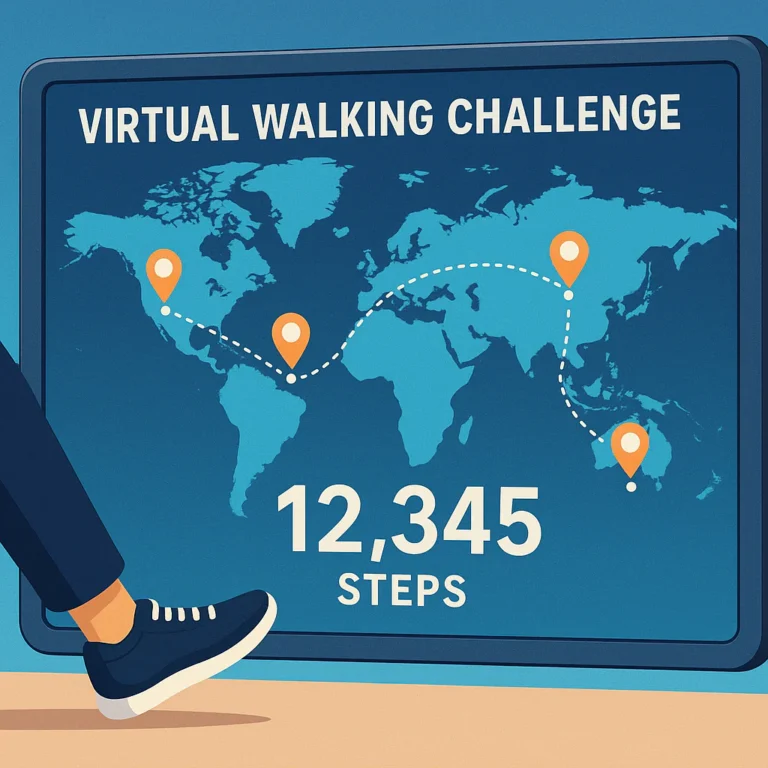
What is a virtual fundraising event and how does it work? It’s an online event or campaign that brings people together around a cause and makes it easy to participate, connect, and donate—whether they’re joining a livestream, bidding in an online auction, or walking close to home.
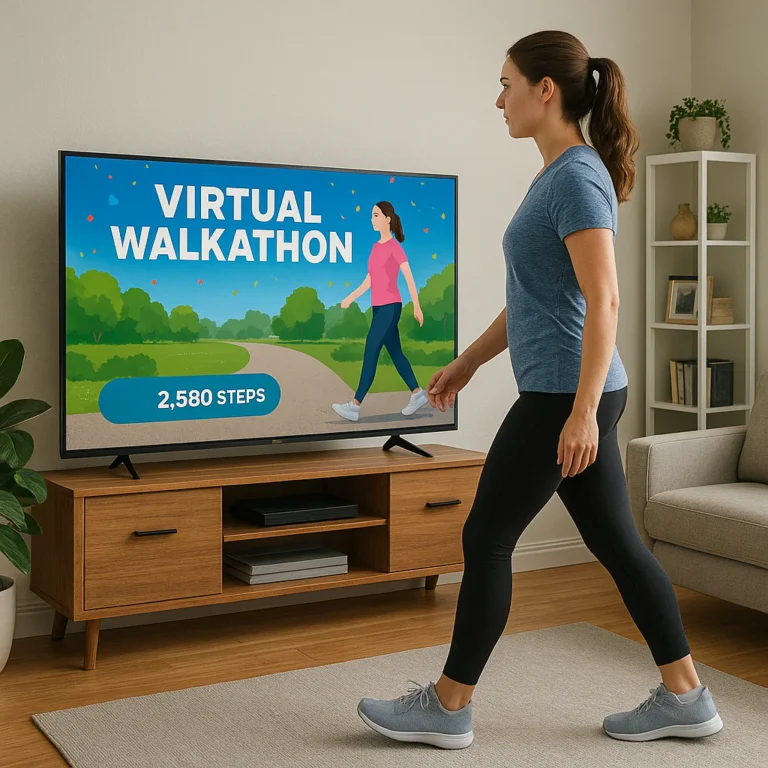
At Walkathon Virtual™, we’ve seen how a simple shared challenge can turn scattered supporters into a community. One person walks around the neighborhood, another rolls along a favorite route, and a teammate cheers everyone on from home; online fundraising tools connect their efforts to the cause.
Virtual fundraisers can be live, self-paced, or hybrid, but the essentials are the same: a clear purpose, a simple way to take part and give, engaging communication, and thoughtful follow-up. Here’s how the formats, planning, technology, accessibility, and measurement fit together.
Key Takeaways
- Virtual fundraising events raise money and engage supporters online through activities such as livestreams, auctions, giving days, and virtual walks.
- The event format should fit your mission and audience. A simple, well-run experience can beat a flashy program that’s hard to join.
- Make participation and donations easy. Test event links, registration, payment, and mobile access before launch.
- Build in accessibility and flexibility, especially for movement challenges; participants should have meaningful ways to take part at their own pace.
- Measure more than dollars raised: track attendance, donations, engagement, costs, and donor follow-up.
- Thank supporters and show what happens next. The event is one moment in a longer relationship, not the finish line.
Table of Contents
- ⚡️ Quick Tips and Facts
- 🎥 Virtual Fundraising Events Explained: What They Are and How They Work
- What counts as a virtual fundraising event?
- Virtual, in-person, and hybrid fundraising: What’s the difference?
- 📜 The Rise of Online Fundraising Events
- 💛 Why Nonprofits Host Virtual Fundraising Events
- Benefits for nonprofits, donors, and communities
- Challenges to plan for
- 🎯 Choosing the Right Virtual Fundraising Event Format
- Live-streamed galas, concerts, and talent shows
- Virtual walks, runs, and fitness challenges
- Online auctions, raffles, and giving days
- Webinars, workshops, and mission-focused events
- Peer-to-peer and social media fundraising campaigns
- 🛠️ How Virtual Fundraising Events Work in Practice
- Before the event: Set goals, choose a format, and build your team
- During the event: Engage attendees and make giving easy
- After the event: Thank donors, report results, and retain supporters
- 🗓️ Planning a Virtual Fundraiser: Step-by-Step Checklist
- Define your fundraising goal and audience
- Set a realistic timeline and budget
- Choose a date, event length, and format
- Assign roles and prepare a backup plan
- 💻 Virtual Fundraising Platforms and Essential Tools
- Donation pages, registration, and payment processing
- Livestreaming and video conferencing tools
- Auction, ticketing, and peer-to-peer fundraising software
- Accessibility, privacy, and data security
- 📣 Promoting Your Virtual Fundraising Event
- Email, social media, and your nonprofit website
- Fundraising event messaging and storytelling
- Registration reminders and last-minute outreach
- 🙌 Keeping Virtual Attendees Engaged
- Use interactive features, polls, chat, and Q&A
- Make the donation ask clear, timely, and heartfelt
- Welcome remote participants with different needs
- 📊 Virtual Fundraising Event Metrics and Benchmarks
- Track registrations, attendance, donations, and event costs
- Measure engagement, conversion, and donor retention
- Calculate fundraising return on investment
- 🚧 Common Virtual Fundraising Mistakes to Avoid
- 🌱 Turning One Online Event into Long-Term Support
- ✨ The Lasting Impact of a Well-Planned Virtual Fundraiser
- ✅ Conclusion
- 🔗 Recommended Links
- ❓ FAQ
- What is a virtual fundraising event?
- How does an online fundraising event work?
- How much does it cost to host a virtual fundraiser?
- What is the best platform for a virtual fundraising event?
- How do you keep people engaged during a virtual fundraiser?
- Can a virtual fundraising event include in-person activities?
- How do you measure the success of an online fundraiser?
- 📚 Reference Links
⚡️ Quick Tips and Facts
- A virtual fundraising event is an online activity that brings supporters together to participate, connect with a cause, and donate. It might be a livestreamed gala, an online auction, a peer-to-peer challenge, or a virtual walk.
- The basic recipe is simple: choose a format, set a goal, provide an easy way to join and give, keep participants engaged, then thank them and follow up.
- Virtual doesn’t have to mean “everyone watches a livestream.” Participants might walk locally, post progress online, bid in an auction, join a Zoom session, or fundraise through their own social networks.
- A virtual event can reach people who can’t travel or attend in person. But reach alone doesn’t guarantee donations: a clear mission, straightforward giving, and thoughtful follow-up do the heavy lifting.
- Keep online programs focused. Short, story-driven segments and interactive moments can help hold attention; nobody signed up to watch a 90-minute loading screen. Blomerang recommends simplifying registration and giving, while OneCause emphasizes engagement and careful technology planning.
- For a movement-centered event, offer flexible participation: walking, rolling, strolling, or cheering others on. Our guide to inclusive virtual fundraising events for disability support has ideas for making participation more accessible.
- A quick measurement checklist: registrations, attendance, donations, average gift, new donors, engagement, expenses, and follow-up response.
- Walkathon Virtual™ trainer perspective: A virtual walk can make movement part of the mission, not a fitness test. Invite participants to choose a distance and pace that suit them, and make clear that rest, mobility aids, and alternate forms of movement are welcome. For general physical-activity guidance, see the CDC’s recommendations for adults.
🎥 Virtual Fundraising Events Explained: What They Are and How They Work
What counts as a virtual fundraising event?
A virtual fundraising event is a mission-focused gathering or campaign hosted primarily online. Participants can learn about a cause, interact with organizers and one another, and contribute through digital tools—without needing to be in the same physical place.
Blomerang describes it as a “live or pre-recorded program designed to raise money and engage supporters online.” OneCause takes a broader view, defining virtual fundraising events as online, interactive opportunities to engage donors and solicit online donations. Put together, those descriptions cover both a scheduled livestream and a campaign that unfolds over several days.
| Format | What participants do | Typical fundraising methods |
|---|---|---|
| Livestreamed gala | Watch speakers, performances, and mission stories | Donation appeals, ticketing, online auction |
| Virtual auction | Browse items and place bids online | Bids, fixed-price items, donations |
| Virtual walk or fitness challenge | Move in a location of their choice and share progress | Peer-to-peer pages, team goals, sponsor matching |
| Online giving day | Donate during a time-limited campaign | Direct gifts, matching gifts, social sharing |
| Webinar or workshop | Join an educational or mission-related session | Registration donations, live appeals, follow-up gifts |
| Hybrid event | Attend in person or participate remotely | Online and in-person giving, auctions, sponsorships |
A virtual event can be a single live program or a collection of activities hosted on an online event page. The key is that online tools make participation and giving possible, not that every attendee appears on camera.
Virtual, in-person, and hybrid fundraising: What’s the difference?
| Event type | Where it happens | Strengths | Watch-outs |
|---|---|---|---|
| Virtual | Online | Wider geographic reach; flexible participation; no shared venue required | Competing distractions; depends on technology and clear instructions |
| In-person | One physical location | Face-to-face conversation and shared atmosphere | Travel, venue accessibility, and location can limit attendance |
| Hybrid | In-person plus online options | Offers more than one way to take part | Requires a plan for equitable engagement across both audiences |
A hybrid event isn’t simply an in-person event with a camera pointed at the stage. Remote participants need meaningful ways to ask questions, donate, bid, and feel included. OneCause’s virtual event guidance recommends thinking through the technology and audience experience early.
📜 The Rise of Online Fundraising Events
Nonprofits have long used events to bring supporters together. Livestreaming, online payment tools, social media, and peer-to-peer fundraising have made it easier to hold some or all of that experience online.
The COVID-19 pandemic accelerated the shift, as organizations reconsidered in-person plans and tested digital formats. Blomerang reports that 97.1% of surveyed respondents who had planned an event changed or reconsidered those plans because of COVID-19. That figure describes a specific survey context, not a universal measure of nonprofit behavior, but it illustrates how quickly event planning can change when circumstances do.
Online fundraising now includes much more than moving a gala onto video. A nonprofit might host an online giving day, invite participants to walk in their own neighborhoods, run a social-media challenge, or combine remote and in-person activities. See our global walkathon events for examples of how movement-based events can connect participants across locations.
💛 Why Nonprofits Host Virtual Fundraising Events
Benefits for nonprofits, donors, and communities
Virtual fundraising gives supporters more ways to participate. Someone who can’t travel may still join a livestream, donate, recruit friends, or complete a walk near home. For nonprofits, digital participation can also make it easier to collect event and giving data—provided the tools are set up to capture it.
Potential benefits include:
- Broader reach: Invite supporters beyond the organization’s local area.
- Flexible participation: People can join live, take part asynchronously, or contribute without attending the main program.
- More accessible formats: Remote options may reduce travel and venue barriers, though the event still needs accessible design.
- Multiple ways to support: Participants can donate, fundraise, bid, share a campaign, or volunteer.
- Useful engagement data: Depending on the platform, organizers can review attendance, donations, bids, and campaign activity.
- A natural fit for movement-based missions: Virtual walks can bring activity and fundraising together. Walking is one accessible way many people choose to be active, but participants should be able to adapt the activity to their needs. Explore our health benefits of walkathons for more on movement-focused events.
Blomerang cites survey findings that 69% of nonprofit professionals reported using events and auctions to solicit funds. The exact figure depends on the surveyed group and should be read as a survey result, rather than a benchmark for every nonprofit.
Challenges to plan for
Virtual events trade some in-person logistics for digital ones. Instead of managing a venue entrance, you may be managing a livestream, a donation page, attendee questions, and the inevitable “I can’t hear anything” message.
| Challenge | Why it matters | Practical response |
|---|---|---|
| Online distraction | Participants may switch tabs or leave early | Use a clear agenda, short segments, and interactive moments |
| Technology friction | Confusing links or login steps can block participation | Test registration and giving on a phone and computer |
| Reduced personal connection | Remote viewers may feel like an audience, not a community | Use chat, small-group activities, shout-outs, and participant stories |
| Accessibility gaps | A digital event can still exclude people | Provide captions, clear instructions, accessible pages, and alternative ways to participate |
| One-time giving | A successful event may not create lasting relationships | Follow up personally and offer a relevant next step |
| Platform costs or complexity | Extra tools can stretch staff capacity | Choose tools based on the event’s needs, not a feature checklist |
The right format depends on your audience, goals, staff capacity, and technical comfort. A simple event that works smoothly is usually better than a spectacular production that leaves people hunting for the donation button.
🎯 Choosing the Right Virtual Fundraising Event Format
A good format fits your mission and your supporters. If your community loves friendly competition, a team challenge may work. If people value expert learning, a webinar or workshop might be a better match. You don’t need to invent an entirely new event; familiar activities can work online when the participation and giving are clear.
Live-streamed galas, concerts, and talent shows
A livestreamed program can include a host, short mission stories, performances, a live appeal, and an auction. Keep the program paced and make the donation link visible throughout.
Benefits: Strong storytelling, shared event moments, and opportunities to recognize supporters or sponsors.
Drawbacks: Production can become complicated, and viewers can drift if the program runs long without interaction. Rehearse transitions and assign someone to monitor chat and technical issues.
Virtual walks, runs, and fitness challenges
Participants choose when and where to complete an activity, then support the cause through registration, donation, or peer-to-peer fundraising. A walkathon might run for one day or across a full campaign period, with individuals or teams working toward a shared distance or fundraising goal.
At Walkathon Virtual™, we recommend making the activity adaptable rather than prescriptive. Offer distance options, rest days, and non-walking roles such as team captain, cheerleader, or fundraiser. The CDC’s physical-activity guidance is general health guidance, not a requirement for joining a charity event.
For more ideas, browse our fundraising ideas and accessibility in walkathons.
Online auctions, raffles, and giving days
Online auctions let participants browse items and bid remotely, often through a mobile bidding page. Organizers can add timed bidding, outbid notifications, and a live auction segment. Clear item descriptions, closing times, payment steps, and rules help prevent confusion.
Giving days work differently: they focus donations around a specific date or short campaign window. Matching gifts, team challenges, or a progress tracker can add momentum. Raffles may be subject to local laws, so check the rules that apply before promoting or selling tickets.
Webinars, workshops, and mission-focused events
A webinar or workshop can connect fundraising to a topic supporters care about: a community issue, a skill-building session, or a behind-the-scenes look at a program. Consider a short presentation, a moderated Q&A, and a clear donation invitation.
Benefits: Useful for educating supporters and building trust.
Drawbacks: A lecture-only format can feel like homework. Add questions, polls, demonstrations, or a participant discussion.
Peer-to-peer and social media fundraising campaigns
Peer-to-peer fundraising gives participants personal campaign pages to share with friends and family. Supporters can fundraise as individuals or teams, and the event may include a virtual walk, a challenge, or a giving-day countdown.
Make it easy for fundraisers to share: provide sample messages, accessible graphics, and short explanations of the mission. Avoid assuming every participant uses the same social platform; email and direct sharing can matter just as much.
🛠️ How Virtual Fundraising Events Work in Practice
Most virtual fundraising events follow three stages: prepare, engage, and follow up. The format varies, but participants need to understand what to do, how to take part, and how their support helps.
Before the event: Set goals, choose a format, and build your team
Before promotion begins:
- Define the purpose. Decide what the funds will support and what you want participants to learn or experience.
- Set measurable goals. Include financial goals and engagement goals, such as registrations, new supporters, or team participation.
- Choose the format. Match the event to your audience and the capacity of your staff and volunteers.
- Build the event page. Include the schedule, participation instructions, accessibility information, donation options, and contact details.
- Assign responsibilities. Name people for technology, communications, donor support, hosting, and day-of troubleshooting.
- Test the whole participant journey. Register, join, donate, and confirm messages on both desktop and mobile.
During the event: Engage attendees and make giving easy
Start with a welcome and simple instructions. Explain how to use the chat or bidding tool, where to donate, and how to ask for help. Then keep the program moving with stories, audience participation, and clear calls to action.
For a virtual walk, check in with teams, share progress updates, and celebrate different forms of participation. A participant’s activity can be a walk, roll, adapted movement session, or another mission-approved option. The point is collective participation, not proving athletic credentials.
After the event: Thank donors, report results, and retain supporters
After the event:
- Send prompt thank-you messages to donors, participants, volunteers, and sponsors.
- Share the total raised when it is verified, along with a plain-language explanation of how the funds will be used.
- Review event data, including attendance, gifts, participation, and questions received.
- Follow up personally with highly engaged supporters and offer a next step that fits their interests.
- Ask for feedback while the experience is still fresh.
A thank-you is not an administrative receipt with confetti. It’s part of the relationship. Blomerang’s virtual fundraising overview likewise highlights post-event thanks and personalized follow-up as ways to keep supporters engaged.
🗓️ Planning a Virtual Fundraiser: Step-by-Step Checklist
Define your fundraising goal and audience
Start with two questions: What will the event accomplish, and who should feel invited?
Set a concrete fundraising target, then connect it to a specific need or outcome. Also choose audience goals, such as reaching new participants, re-engaging past donors, or building a community around a program. OneCause recommends setting both revenue and engagement goals as part of its virtual event planning guidance.
Set a realistic timeline and budget
A timeline should cover planning, promotion, registration, the event itself, and follow-up. A small online gathering may need less production planning than a multi-day event with an auction and livestream, but both need time to test tools and communicate with attendees.
List likely expenses and staff or volunteer capacity. Include technology, accessibility support, payment processing, promotional materials, and any production needs. Virtual events may avoid some venue-related costs, but they are not automatically free.
Choose a date, event length, and format
Choose a date that gives participants enough notice and doesn’t clash with major community organizational commitments. The ideal length depends on the format: an interactive workshop, a multi-day walk challenge, and a livestreamed gala have different rhythms.
Tell registrants what to expect. If the main program is live, share the start time and estimated run time. If participants can complete activities independently, state the participation window and how to share progress.
Assign roles and prepare a backup plan
Assign an owner for each essential task:
- Event lead: Keeps the plan moving and makes decisions.
- Host or facilitator: Welcomes attendees and guides the program.
- Technology lead: Tests the livestream, event page, and presentation.
- Donor support contact: Answers questions about registration and giving.
- Engagement lead: Monitors chat, polls, and participant activity.
- Communications lead: Sends reminders and day-of updates.
Have a backup link, a downloadable run-of-show, and a way to tell attendees what to do if the stream fails. A contingency plan is not pessimism; it’s how you keep a small technical hicup from becoming the main attraction.
💻 Virtual Fundraising Platforms and Essential Tools
Choose tools based on what your event needs. OneCause presents its fundraising platform as an option for virtual, hybrid, and in-person fundraising, with tools that can centralize event elements. Other organizations may need only a donation page, a video-conferencing tool, and a shared spreadsheet.
| Tool category | Examples | Useful for | Considerations |
|---|---|---|---|
| Fundraising platform | OneCause, Funraise | Event pages, donations, campaigns, or auctions depending on product | Confirm features, accessibility, data exports, and fees directly with the provider |
| Video meeting or livestream | Zoom, YouTube Live | Workshops, presentations, performances, or live appeals | Test access, captions, moderation, and audience size limits |
| Email and communications | Your organization’s email service and website | Invitations, reminders, updates, and thanks | Keep links consistent and make messages easy to scan |
| Activity tracking | A fundraising platform, event app, or participant-submitted logs | Walkathons, team challenges, and progress reporting | Offer alternatives for participants who can’t or don’t want to use an app |
Donation pages, registration, and payment processing
The event page should make the next step obvious. Visitors should be able to register, donate, or start a fundraising page without digging through several menus.
Before launch, check:
- The donation form works on a phone.
- Suggested gift amounts are appropriate to your audience and mission.
- Payment confirmations and receipts are clear.
- Registration and donation are distinguishable if they serve different purposes.
- Donors can find privacy information and contact support.
Livestreaming and video conferencing tools
Use a live platform when real-time interaction matters. A webinar or meeting format can work for smaller, discussion-based events; a public livestream may suit a larger audience. Choose based on privacy, moderation, accessibility, and how attendees will participate—not just on brand familiarity.
If you use video, consider captions, readable slides, good audio, and a backup way to share the event. A simple microphone test can save more goodwill than an elaborate opening animation.
Auction, ticketing, and peer-to-peer fundraising software
For an auction, check whether the platform supports item descriptions, photos, bidding windows, notifications, payment, and clear closing rules. For peer-to-peer campaigns, review how participants create pages, share them, and see progress.
Ask vendors about:
- Data exports and integration with your donor records.
- Accessible design and mobile usability.
- Payment processing and receipt workflows.
- Training and technical support.
- How the platform handles privacy and account security.
Accessibility, privacy, and data security
Digital access is not automatically universal. Provide clear language, captions where possible, alt text for meaningful images, and options for people who can’t join a livestream or use a particular device. Our accessibility in walkathons resources offer more ways to widen participation.
Protect participant information by collecting only what you need, restricting access to sensitive data, and following applicable privacy requirements. The Federal Trade Commission’s business guidance on data security offers practical principles for handling information responsibly.
📣 Promoting Your Virtual Fundraising Event
Email, social media, and your nonprofit website
Use a consistent event page as the source of truth. Link to it from email, social posts, partner announcements, and your organization’s website. A good invitation explains the mission, what participants will do, when it happens, and how to register or give.
Explore our event promotion resources for additional campaign ideas. Eligible U.S. nonprofits may also review Google Ad Grants to learn about current program requirements and advertising credits.
Fundraising event messaging and storytelling
Strong messaging connects the event to the cause without overstating what a donation can accomplish. Use specific, approved examples and explain how the organization will use funds. If you share a personal story, obtain informed permission and protect the person’s dignity and privacy.
A useful invitation answers:
- Why this cause?
- Why this event?
- What can I do?
- What happens after I register or donate?
Registration reminders and last-minute outreach
Send useful reminders rather than a parade of “just checking in” messages. Include the time, joining link, activity instructions, accessibility details, and support contact. If participants need to set up a fundraising page, send those instructions before event day.
For a walkathon, reminders can also include optional preparation tips, such as choosing a comfortable route and checking local conditions. Keep activity guidance general and encourage participants to follow their own health needs.
🙌 Keeping Virtual Attendees Engaged
Use interactive features, polls, chat, and Q&A
A digital audience needs chances to do more than watch. Try a short poll, a moderated question, team shout-outs, a progress tracker, a challenge, or a brief audience discussion.
The best interaction matches the event. A walkathon might feature team updates and shared milestones; a webinar might use a Q&A; an auction might announce closing reminders. Blomerang recommends short, story-driven livestream segments and interactive features such as chat prompts and donation thermometers.
Make the donation ask clear, timely, and heartfelt
Tell participants exactly how to donate and what their contribution supports. Place the giving link where people can find it, repeat it when appropriate, and avoid burying the ask beneath a long program.
A strong appeal connects a real need to a meaningful action. Keep the language specific, respectful, and easy to understand. If there’s a matching gift or deadline, explain the terms plainly.
Welcome remote participants with different needs
Offer more than one way to participate. Some people may want to join live; others may prefer to donate, walk independently, or take part through a team member. For a movement event, provide options that don’t assume everyone can walk the same distance or use the same tracking device.
Our trainers and health professionals recommend describing activity options in inclusive, noncompetitive language. Participation can be adapted to personal ability and comfort, and people with health concerns can seek advice from a qualified clinician. See the CDC’s physical-activity basics for general guidance.
A helpful video on virtual fundraising ideas
The featured YouTube video, “54+ Virtual Fundraising Ideas for Nonprofits & Schools | Creative Online Events That Raise $$$” by Funraise, offers a quick tour of online event possibilities. It may help a planning team brainstorm formats, especially when you’re looking for an idea beyond a standard livestream. Treat it as inspiration, then choose an approach that fits your mission, audience, staffing, and accessibility needs.
📊 Virtual Fundraising Event Metrics and Benchmarks
Track registrations, attendance, donations, and event costs
Choose a small set of metrics before the event so you know what success means. Useful measures include:
| Metric | What it tells you |
|---|---|
| Registrations | How many people signed up |
| Attendance rate | How many registrants joined the event |
| Funds raised | Total gifts and other event revenue, reported transparently |
| Average gift | Average donation amount |
| New donors | Supporters giving to the organization for the first time |
| Event expenses | Direct costs associated with planning and delivery |
| Cost per dollar raised | How much it cost to raise each dollar |
| Participation | Team activity, completed challenges, bids, or other format-specific actions |
There is no one universal benchmark that fits every nonprofit, event format, or audience. Compare results with your own prior events, campaign goals, and costs. A virtual walk and a ticketed online gala have different structures, so comparing their attendance rates without context can mislead.
Measure engagement, conversion, and donor retention
Look beyond total revenue. Depending on the format, useful engagement signals may include attendance duration, chat participation, questions, auction bids, peer-to-peer shares, and follow-up donations. These signals can help organizers decide who might appreciate a personal thank-you or a future invitation.
For a walkathon, participation can include team registrations, distance submissions, fundraising-page activity, and event feedback. Don’t treat a single measure as the whole story: a participant who donates, recruits a teammate, and shares the mission may be highly engaged even if they never join the livestream.
Calculate fundraising return on investment
A simple net-revenue calculation is:
Net funds raised = total event revenue − event expenses
To estimate cost per dollar raised:
Cost per dollar raised = event expenses ÷ total event revenue
State which costs and revenue sources you include. Sponsorships, in-kind contributions, staff time, and platform fees can affect the picture, so compare events using consistent definitions.
🚧 Common Virtual Fundraising Mistakes to Avoid
- Making registration or donations hard to find: Put the relevant links where participants expect them.
- Overloading the schedule: Give each segment a purpose and leave room for interaction.
- Assuming everyone can use the same technology: Provide support and alternative ways to participate.
- Treating remote attendees as passive viewers: Include meaningful chances to respond, ask questions, and give.
- Forgetting accessibility: Consider captions, readable materials, clear instructions, and flexible participation options.
- Collecting data without a follow-up plan: Decide how you’ll use event information respectfully.
- Thanking everyone with the same generic note: Personalize messages where possible and explain the impact of support.
- Using unverified claims or stories: Get permission and ensure impact statements are accurate.
- Skipping the rehearsal: Test links, sound, screen sharing, donation forms, and backup plans.
OneCause’s planning guide recommends preparing technology and assigning event responsibilities early. That advice is especially useful when a small team is juggling several jobs—and a livestream button has decided to play hide-and-sek.
🌱 Turning One Online Event into Long-Term Support
A successful event can open a door, but follow-up helps build the relationship. Thank supporters promptly, share what their participation made possible, and give them a suitable next step.
You might invite participants to:
- Join a future walkathon or community event.
- Follow program updates.
- Volunteer or share a campaign.
- Join a monthly giving program, if that fits their interests.
- Provide feedback on the event experience.
- Learn more about a particular program or community need.
Use event data with care. Someone who asked questions about a program may welcome a relevant update; that doesn’t mean every attendee should receive the same high-frequency fundraising emails. Follow the organization’s communication preferences and applicable privacy rules.
✨ The Lasting Impact of a Well-Planned Virtual Fundraiser
A virtual fundraiser works best when the technology stays in the background and the mission stays in front. Choose a format people can understand, make participation accessible, and connect each activity to a clear purpose.
The strongest event isn’t necessarily the one with the most production. It’s the one that helps supporters take part, give confidently, and understand what happens next. For a virtual walk, that might mean a shared challenge, an inclusive range of ways to move, and a simple way to raise funds with friends.
And the question we opened with—how does it actually work? In practice, it works through a thoughtful chain: invite people, make joining and giving easy, create a reason to stay involved, measure what happened, and keep the relationship going.