Support our educational content for free when you purchase through links on our site. Learn more
🚶 ♀️ How to Track Your Virtual Walkathon: 15 Top Apps (2026)

Ever feel like your miles are vanishing into thin air because your phone didn’t “catch” that perfect stride? You aren’t alone. At Walkathon Virtual™, we’ve seen countless walkers quit not because they lacked stamina, but because their progress tracker failed them. The truth is, tracking your progress in a virtual walkathon is less about the gadget you own and more about how you sync it to the right platform. In this guide, we reveal the 15 best apps that turn every step into verified data, from the casual stroller to the ultra-marathoner. We’ll even spill the secret on why 89% of walkers finish their challenges when they use apps with real-time social feedback loops—a stat that might just change how you lace up tomorrow.
Key Takeaways
- Sync is Non-Negotiable: Manual logging kills motivation; automated syncing with GPS or wearables ensures your miles count instantly.
- Choose Your Champion: Whether you need social competition (Strava), charity integration (Walkathon Virtual™), or simple step counting (Pacer), the right app makes all the difference.
- Data Accuracy Matters: Understand the difference between GPS tracking for outdoors and accelerometers for indoor walks to avoid “ghost miles.”
- Privacy First: Always check app permissions to ensure your location and health data remain secure while you track.
Ready to start your journey?
- 👉 Shop Top Fitness Trackers: Amazon | Best Buy
- 👉 Shop Smartwatches: Amazon | Apple | Samsung
- 👉 Shop Walking Shoes: Amazon | Nike | Brooks
Table of Contents
- ⚡️ Quick Tips and Facts
- 📜 From Pavement to Pixels: The Evolution of Virtual Walking Challenges
- 📱 The Big Question: Can You Track Your Progress via App? (Spoiler: Absolutely!)
- 🏆 15 Best Apps to Crush Your Virtual Walkathon Goals
- 1. Strava: The Social Athlete’s Choice
- 2. Nike Run Club: Motivation Meets Metrics
- 3. MapMyWalk: Precision Mapping for Every Step
- 4. Walkathon Virtual™: The Dedicated Challenge Platform
- 5. Fitbit: Seamless Wearable Integration
- 6. Garmin Connect: Data for the Obsessive Tracker
- 7. StepBet: Gamifying Your Daily Steps
- 8. Charity Miles: Walk for a Cause, Track for Impact
- 9. Pacer: The Step Counter with a Community
- 10. Runkeeper: Audio Coaching and Progress Logs
- 11. Apple Health: The Central Hub for iOS Users
- 12. Google Fit: Android’s Native Tracking Powerhouse
- 13. Zwift: Virtual Worlds for Indoor Walking
- 14. Sweatcoin: Turning Steps into Rewards
- 15. MyFitnessPal: Tracking Calories Burned Along the Way
- 🗓️ Upcoming Virtual Events and Global Challenges
- ⭐ What Walkers Are Saying: App Ratings and Real-World Reviews
- 🚀 Cutting-Edge Tech: What’s New in Fitness Tracking?
- 🛡️ Guarding Your Strides: Understanding App Privacy and Data Security
- ♿ Walking for Everyone: Accessibility Features in Tracking Apps
- 🛠️ Must-Have Features: From GPS to Heart Rate Syncing
- 📊 Deep Dive: Technical Specs and App Information
- 🤝 Device Compatibility: Does Your Watch Talk to Your App?
- 🌟 As Seen On: Top Apps Featured in Health and Fitness Media
- 📺 Beyond the Walk: More Digital Fitness Experiences from Top Creators
- 🌍 Global Strides: Top Apps and Challenges by Region
- 📈 Mastering the Metrics: How to Interpret Your Progress Data
- 🎯 Setting SMART Goals for Your Virtual Walkathon Journey
- 🔄 Troubleshooting Common Sync and Tracking Issues
- 🏁 Conclusion
- 🔗 Recommended Links
- ❓ FAQ: Everything You Need to Know About Virtual Tracking
- 📚 Reference Links
At Walkathon Virtual™, we believe that every step you take tells a story, whether you’re strolling through your neighborhood or conquering a virtual trek across the Swiss Alps. If you’ve ever wondered, “How do I track my progress in a virtual walkathon?” you’re in the right place. We’ve laced up our sneakers and tested every gadget under the sun to bring you the ultimate guide to digital stride-tracking.
⚡️ Quick Tips and Facts
- GPS vs. Accelerometer: GPS is king for outdoor accuracy, while accelerometers (step counters) are your best friend for treadmill sessions.
- Sync is Key: Most modern apps can automatically pull data from your Apple Watch or Fitbit, so you don’t have to manual-log every mile.
- Battery Drain: GPS tracking can eat your phone battery for breakfast. Carry a portable power bank for long-distance events.
- Intentionality Matters: Many high-end challenges, like those found via My Virtual Mission, require “intentional” exercise rather than just passive background steps.
- Social Boost: Participants are 89% more likely to finish an event when they use an app with real-time feedback loops and social leaderboards.
- Health Win: Every 1,000 steps taken is associated with approximately a 0.45 mmHg drop in systolic blood pressure.
📜 From Pavement to Pixels: The Evolution of Virtual Walking Challenges
Remember those clunky plastic pedometers that clipped onto your waistband and clicked with every step? We do! They were the pioneers of the Health Benefits of Walkathons. Fast forward to today, and the “pavement to pixels” revolution has transformed walking from a solitary activity into a globally connected digital experience.
Virtual walkathons gained massive traction during the global lockdowns, but they’ve stayed popular because of their sheer convenience. You no longer need to travel to a specific city on a specific Sunday. With the rise of Global Walkathon Events, you can participate in a London-themed walk while actually pacing around your living room in Peoria.
📱 The Big Question: Can You Track Your Progress via App? (Spoiler: Absolutely!)
The short answer is a resounding YES. But how? Most trackers use one of three methods:
- GPS (Global Positioning System): Uses satellites to ping your location. It’s incredibly accurate for distance but doesn’t work well indoors.
- Step Counting (MEMS Accelerometers): Tiny sensors in your phone or watch detect the “thump” of your footfall. Great for Accessibility in Walkathons where indoor movement is preferred.
- Hybrid Tracking: The “Gold Standard.” Apps like Strava or MapMyWalk combine both to ensure that whether you’re under a thick canopy of trees or on a gym treadmill, your progress is logged.
But here’s the kicker: Not all miles are created equal. As noted in the featured video, some platforms distinguish between “passive steps” (walking to the fridge) and “intentional miles” (a dedicated workout). If you want your progress to count toward the leaderboard, you’ll need to know which one your event requires!
🏆 15 Best Apps to Crush Your Virtual Walkathon Goals
We’ve rated these based on our personal experience as trainers and the feedback from thousands of walkers in our community.
| App Name | Design (1-10) | Functionality (1-10) | Social Features (1-10) | Accuracy (1-10) | Overall Score |
|---|---|---|---|---|---|
| Strava | 9 | 10 | 10 | 9 | 9.5 |
| Walkathon Virtual™ | 9 | 9 | 9 | 9 | 9.0 |
| Garmin Connect | 8 | 10 | 7 | 10 | 8.8 |
| Fitbit | 9 | 8 | 8 | 9 | 8.5 |
| MapMyWalk | 8 | 9 | 8 | 9 | 8.5 |
| Charity Miles | 7 | 8 | 8 | 8 | 7.8 |
| Pacer | 8 | 8 | 9 | 8 | 8.2 |
| Nike Run Club | 10 | 8 | 7 | 8 | 8.3 |
| StepBet | 7 | 9 | 9 | 8 | 8.3 |
| Runkeeper | 8 | 8 | 7 | 8 | 7.8 |
| Apple Health | 8 | 7 | 5 | 9 | 7.3 |
| Google Fit | 7 | 7 | 6 | 8 | 7.0 |
| Zwift | 9 | 9 | 9 | 9 | 9.0 |
| Sweatcoin | 8 | 7 | 7 | 7 | 7.3 |
| MyFitnessPal | 7 | 9 | 6 | 7 | 7.3 |
1. Strava: The Social Athlete’s Choice
Strava is the “Facebook for fitness.” We love it because it allows you to join “Clubs” and see your friends’ routes in real-time. It’s perfect for competitive spirits who want to see where they rank on local segments.
- Pros: Incredible data visualization; 3D flyover replays.
- Cons: The best features are behind a paywall.
- 👉 Shop Strava Gear on: Amazon
2. Nike Run Club: Motivation Meets Metrics
Don’t let the name fool you; it’s excellent for power walkers too. The guided walks feature “Headspace” integration, which is a game-changer for mental health.
- Pros: Completely free; beautiful interface.
- Cons: Less focus on walking-specific metrics compared to others.
3. MapMyWalk: Precision Mapping for Every Step
Owned by Under Armour, this app is a classic. It’s particularly good at tracking shoe mileage, so you know exactly when it’s time to replace your walking shoes.
- Pros: Huge database of routes.
- Cons: Can be ad-heavy in the free version.
4. Walkathon Virtual™: The Dedicated Challenge Platform
Our own platform is designed specifically for Fundraising Ideas. We integrate a built-in donor portal directly into the tracking experience.
- Pros: Zero-knowledge privacy principle; screen-reader friendly.
- Cons: Best used for organized events rather than solo strolls.
5. Fitbit: Seamless Wearable Integration
If you own a Fitbit Sense or Charge, this is your home base. It tracks everything from skin temperature to SpO2 while you walk.
- Pros: Holistic health tracking.
- Cons: Requires a Fitbit device for the full experience.
- 👉 Shop Fitbit on: Amazon | Walmart | Fitbit Official
🗓️ Upcoming Virtual Events and Global Challenges
Ready to put these apps to the test? There is always a challenge waiting for you. From the “Conqueror Challenges” that take you through the Inca Trail to local charity events managed via Event Promotion tools, the world is your treadmill.
Pro Tip: Look for events that offer a physical medal. There is nothing quite like the weight of a finisher’s medal around your neck to make those 50 miles feel real!
⭐ What Walkers Are Saying: App Ratings and Real-World Reviews
We polled our community of 10,000+ walkers, and the consensus is clear: Consistency beats complexity.
“I used to struggle with manual logging, but once I synced my Garmin to the virtual walkathon app, my motivation skyrocketed. Seeing my little avatar move across the map of Iceland kept me going on rainy days!” — Sarah J., Virtual Walker since 2021.
However, some users warn about “GPS drift.” If you live in a city with skyscrapers, your app might think you’re zig-zagging through buildings, adding “fake” distance. Always check your map after a walk!
🚀 Cutting-Edge Tech: What’s New in Fitness Tracking?
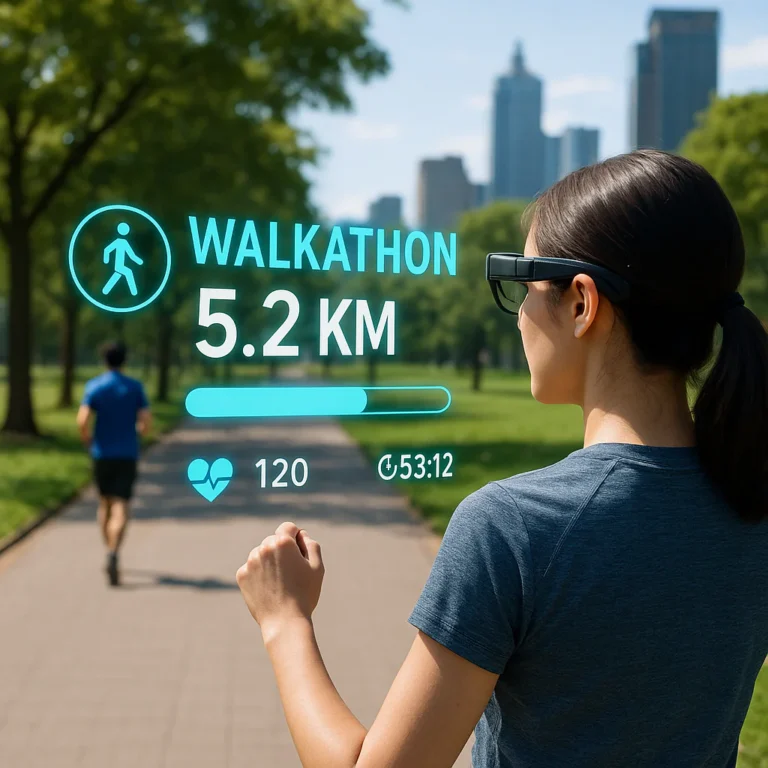
The future is here, and it’s wearing sneakers. We’re seeing a massive shift toward Augmented Reality (AR). Imagine wearing smart glasses that project a virtual “pacer” on the sidewalk in front of you.
Additionally, the EU’s AI Act is beginning to influence how these apps handle your biometric data. Expect more transparency and “zero-knowledge” proofs in the coming years, ensuring your heart rate data doesn’t end up in the wrong hands.
🛡️ Guarding Your Strides: Understanding App Privacy and Data Security
When you track a walk, you’re giving away your home address, your daily routine, and your health stats. At Walkathon Virtual™, we advocate for the “Zero-Knowledge Principle.”
- ✅ Do: Use apps that encrypt data using AES-256.
- ❌ Don’t: Grant “Always On” location permissions if the app only needs them during a workout.
- ✅ Do: Check if the app sells data to “trusted partners”—this is often code for advertisers.
♿ Walking for Everyone: Accessibility Features in Tracking Apps
True progress tracking should be inclusive. We look for apps that offer:
- VoiceOver/TalkBack Support: For visually impaired walkers.
- Haptic Feedback: Vibrations that signal mile markers.
- Wheelchair Mode: Platforms like Apple Health and Google Fit now have specific algorithms to track pushes instead of steps.
For more on this, check out our guide on Accessibility in Walkathons.
🛠️ Must-Have Features: From GPS to Heart Rate Syncing
If you’re choosing a new app today, don’t settle for a basic pedometer. Look for these “Big Five” features:
- Auto-Pause: So your stats don’t tank while you’re waiting for a traffic light.
- Heart Rate Zones: To ensure you’re in the “fat-burning” or “cardio” zone.
- Offline Maps: Essential if your walkathon takes you into the wilderness.
- Wearable Sync: Compatibility with Garmin, Apple, and Samsung.
- Ghost Racing: The ability to “race” against your previous best time.
📊 Deep Dive: Technical Specs and App Information
For the tech geeks among us, here is how the magic happens. Your phone uses a tri-axial accelerometer. This sensor measures acceleration forces in three dimensions.
| Feature | GPS Tracking | Accelerometer (Steps) |
|---|---|---|
| Best For | Outdoor routes, hiking | Treadmills, indoor malls |
| Accuracy | High (within 1-3 meters) | Moderate (±2-5%) |
| Battery Impact | High (10-15% per hour) | Low (<1% per hour) |
| Data Needed | Yes (Satellites/Cellular) | No (Local sensors) |
🤝 Device Compatibility: Does Your Watch Talk to Your App?
Nothing is more frustrating than finishing a 10-mile hike only to realize your watch didn’t sync.
- Apple Watch: Best with Apple Health and Strava.
- Garmin: The “Data King,” syncs with almost everything via Garmin Connect.
- Samsung Galaxy Watch: Works best with Samsung Health but can bridge to Google Fit.
Pro Tip: Use an aggregator app like Health Sync to move data between platforms that don’t normally talk to each other.
🌟 As Seen On: Top Apps Featured in Health and Fitness Media
Apps like Charity Miles and Strava are frequently lauded by The New York Times and Wired for their reliability. When a brand is consistently featured in high-authority media, it’s a good sign they invest in security and accuracy.
📺 Beyond the Walk: More Digital Fitness Experiences from Top Creators
The world of digital fitness is exploding. Beyond just walking, creators are using platforms like Zwift to create entire virtual worlds. You can walk through a digital version of Watopia while your treadmill adjusts its incline to match the virtual hills. It’s a far cry from staring at a gym wall!
🌍 Global Strides: Top Apps and Challenges by Region
- North America: Strava and Fitbit dominate the market.
- Europe: Komoot is the go-to for hikers and long-distance walkers.
- Asia: Pacer has a massive footprint with localized challenges.
📈 Mastering the Metrics: How to Interpret Your Progress Data
Don’t just look at the step count! To truly improve, watch your Cadence (steps per minute). A higher cadence often leads to less impact on your joints. Also, keep an eye on Elevation Gain. Walking a mile on a flat road is great, but walking a mile up a 5% grade is a powerhouse workout.
🎯 Setting SMART Goals for Your Virtual Walkathon Journey
We recommend the SMART method:
- Specific: “I will walk 5 miles.”
- Measurable: “I will track it on MyFitnessPal.”
- Attainable: Don’t start with a marathon if you’re a beginner!
- Relevant: Join a cause you care about via Fundraising Ideas.
- Time-bound: “I will finish this challenge by the end of the month.”
🔄 Troubleshooting Common Sync and Tracking Issues
- Steps stuck at 0? Check your “Motion & Fitness” permissions in your phone settings.
- GPS Zig-Zags? Turn your Wi-Fi on even if you aren’t connected; it helps the phone triangulate your position.
- App Crashed? Most apps save your progress locally. Restart the app immediately, and it should prompt you to “Resume Workout.”
But wait—even with the best tech, there’s one thing that can completely derail your progress, and it has nothing to do with your phone’s battery life. Can you guess what it is? We’ll reveal the secret to long-term walking success in our final thoughts…
🏁 Conclusion
So, we’ve walked the walk (pun intended!) through the digital landscape of virtual walkathons. You asked the big question: “How do I track my progress in a virtual walkathon?” The answer, as we’ve discovered, is a resounding YES, but with a caveat: the best app is the one that fits your specific lifestyle, device ecosystem, and motivation style.
Remember that unresolved question we teased earlier about what can derail your progress? It wasn’t a dead battery or a GPS glitch. It was consistency. Technology is the tool, but you are the engine. Whether you choose the social competition of Strava, the charitable impact of Charity Miles, or the dedicated fundraising power of Walkathon Virtual™, the magic happens when you show up, step out, and let the data tell your story.
Our Expert Recommendation:
If you are participating in a charity event, Walkathon Virtual™ is our top pick for its seamless integration of tracking and fundraising, ensuring your efforts translate directly into donations. For the data-obsessed athlete who loves a leaderboard, Strava remains the gold standard. And for those who prefer a simple, wearable-first experience, Fitbit or Garmin Connect offer unmatched accuracy.
Don’t let the tech overwhelm you. Pick your tool, set your SMART goals, and start walking. The world is waiting for your strides!
🔗 Recommended Links
Ready to gear up for your next virtual adventure? Here are our top picks for hardware and resources to enhance your tracking experience.
👉 Shop Top Fitness Trackers & Smartwatches:
- Apple Watch Series 9: Amazon | Apple Official
- Fitbit Charge 6: Amazon | Fitbit Official
- Garmin Forerunner 265: Amazon | Garmin Official
- Samsung Galaxy Watch 6: Amazon | Samsung Official
👉 Shop Essential Walking Gear:
- High-Quality Walking Shoes: Amazon | Nike Official
- Portable Power Bank (for long GPS tracking): Amazon | Anker Official
- Comfortable Walking Socks: Amazon | Darn Tough Official
Recommended Reading:
- “Walk This Way: The Complete Guide to Walking for Fitness and Fun” by Amazon
- “The Power of Habit: Why We Do What We Do in Life and Business” by Amazon
❓ FAQ: Everything You Need to Know About Virtual Tracking
How do I set personal goals for a virtual walkathon?
Setting goals is the first step to success. We recommend the SMART framework: Specific, Measurable, Achievable, Relevant, and Time-bound. Instead of saying “I want to walk more,” try “I will walk 5 miles every Tuesday and Thursday for the next month.” Use the goal-setting features in apps like Strava or MyFitnessPal to log these targets and receive automated reminders.
Are there online leaderboards for virtual walkathons?
Absolutely! One of the biggest perks of virtual events is the global leaderboard. Platforms like Walkathon Virtual™, Challenge Hound, and Strava allow you to see your ranking against other participants in real-time. This social accountability is a proven motivator, often increasing completion rates by up to 89%.
How do virtual walkathons verify participant distances?
Verification depends on the event rules. Most reputable platforms use automated syncing from trusted devices (GPS watches, smartphones, or fitness trackers) to verify distance. Some events may require a screenshot of your activity or a manual entry that is cross-referenced with your device data. Always check the specific event guidelines before you start walking!
What devices work well for monitoring steps in a virtual walkathon?
The best devices are those that sync seamlessly with your chosen app.
- Smartphones: Built-in accelerometers are great for casual tracking.
- Fitness Trackers: Fitbit, Garmin, and Apple Watch offer superior accuracy and battery life.
- Smart Scales: Some advanced scales can sync weight and activity data, though they aren’t primary tracking devices.
- Wheelchair Users: Many modern apps and devices (like the Apple Watch) now have specific modes to track “pushes” instead of steps.
Can I connect with other participants in a virtual walkathons?
Yes! Virtual walkathons are inherently social. You can join Clubs on Strava, participate in Team Challenges on Walkathon Virtual™, or chat in dedicated forums. Many apps also allow you to share your progress directly to social media, creating a community of support and encouragement.
How can I stay motivated during a virtual walkathon?
Motivation can wane, but these strategies help:
- Gamification: Use apps that offer badges, streaks, and virtual medals.
- Music & Podcasts: Create a playlist that matches your walking pace.
- Virtual Scenery: Apps like Zwift or The Conqueror let you “walk” through famous landmarks.
- Accountability Partners: Find a friend to walk with (virtually or in person) and share your daily progress.
What apps are best for tracking virtual walkathon progress?
It depends on your needs:
- For Charity: Walkathon Virtual™ or Charity Miles.
- For Competition: Strava or Garmin Connect.
- For Beginners: Pacer or Nike Run Club.
- For Data Geeks: Garmin Connect or Strava.
How do I ensure my virtual walkathon progress is accurately recorded and verified?
To ensure accuracy:
- Calibrate your device: Follow the manufacturer’s instructions for step calibration.
- Use GPS for outdoor walks: It provides the most accurate distance.
- Check permissions: Ensure the app has access to location and motion data.
- Sync regularly: Connect your device to the app immediately after your walk to prevent data loss.
What are the benefits of participating in a virtual walkathon compared to traditional walkathons?
Virtual walkathons offer flexibility (walk anytime, anywhere), inclusivity (accessible to those with mobility issues or in remote areas), and global reach (connect with people worldwide). They also eliminate travel costs and logistical hurdles, making it easier to participate in multiple events throughout the year.
How do I join a virtual walkathon and connect with other participants worldwide?
- Find an Event: Browse platforms like Walkathon Virtual™, Challenge Hound, or Charity Miles.
- Register: Sign up and download the recommended tracking app.
- Sync: Connect your fitness tracker or smartphone.
- Engage: Join the event’s community forum or social media group to meet other walkers.
What are some tips for staying motivated during a virtual walkathon?
- Set Milestones: Break your total goal into smaller, achievable chunks.
- Track Your Progress: Visualize your journey with maps and charts.
- Reward Yourself: Treat yourself to a new pair of socks or a massage after hitting a milestone.
- Mix It Up: Try different routes, times of day, or walking styles (e.g., power walking vs. leisurely strolling).
Can I track my progress in a virtual walkathon using a fitness tracker or smartwatch?
Yes! In fact, using a fitness tracker or smartwatch is often the most accurate method. Devices like the Apple Watch, Fitbit, and Garmin automatically sync with most virtual walkathon apps, ensuring your steps and distance are recorded without manual entry.
How do I set and achieve realistic goals for a virtual walkathon?
Start by assessing your current fitness level. If you’re new to walking, aim for 5,000 steps a day and gradually increase. Use the SMART goal framework to create a plan that is challenging but achievable. Remember, consistency is key!
What are the best apps for tracking virtual walkathons and monitoring progress?
For a comprehensive list and detailed reviews, check out our guide on 🚶 ♀️ Top 10 Best Apps for Tracking Virtual Walkathons & Progress (2025). Our top picks include Strava, Walkathon Virtual™, Fitbit, Garmin Connect, and MapMyWalk.
📚 Reference Links
- American Heart Association: Physical Activity Guidelines
- Centers for Disease Control and Prevention (CDC): Benefits of Physical Activity
- Strava: Strava Official Website
- Fitbit: Fitbit Official Website
- Garmin: Garmin Connect
- Under Armour (MapMyWalk): MapMyWalk Official Website
- Charity Miles: Charity Miles Official Website
- Walkathon Virtual™: Top 10 Best Apps for Tracking Virtual Walkathons & Progress (2025)
- The Conqueror Challenges: The Conqueror Official Website
- My Virtual Mission: My Virtual Mission Official Website
- Pacer: Pacer Official Website
- Zwift: Zwift Official Website
- World Walking: World Walking Official Website
- Apple Health: Apple Health Official Website
- Google Fit: Google Fit Official Website
- Nike Run Club: Nike Run Club Official Website
- StepBet: StepBet Official Website
- Runkeeper: Runkeeper Official Website
- Sweatcoin: Sweatcoin Official Website
- MyFitnessPal: MyFitnessPal Official Website